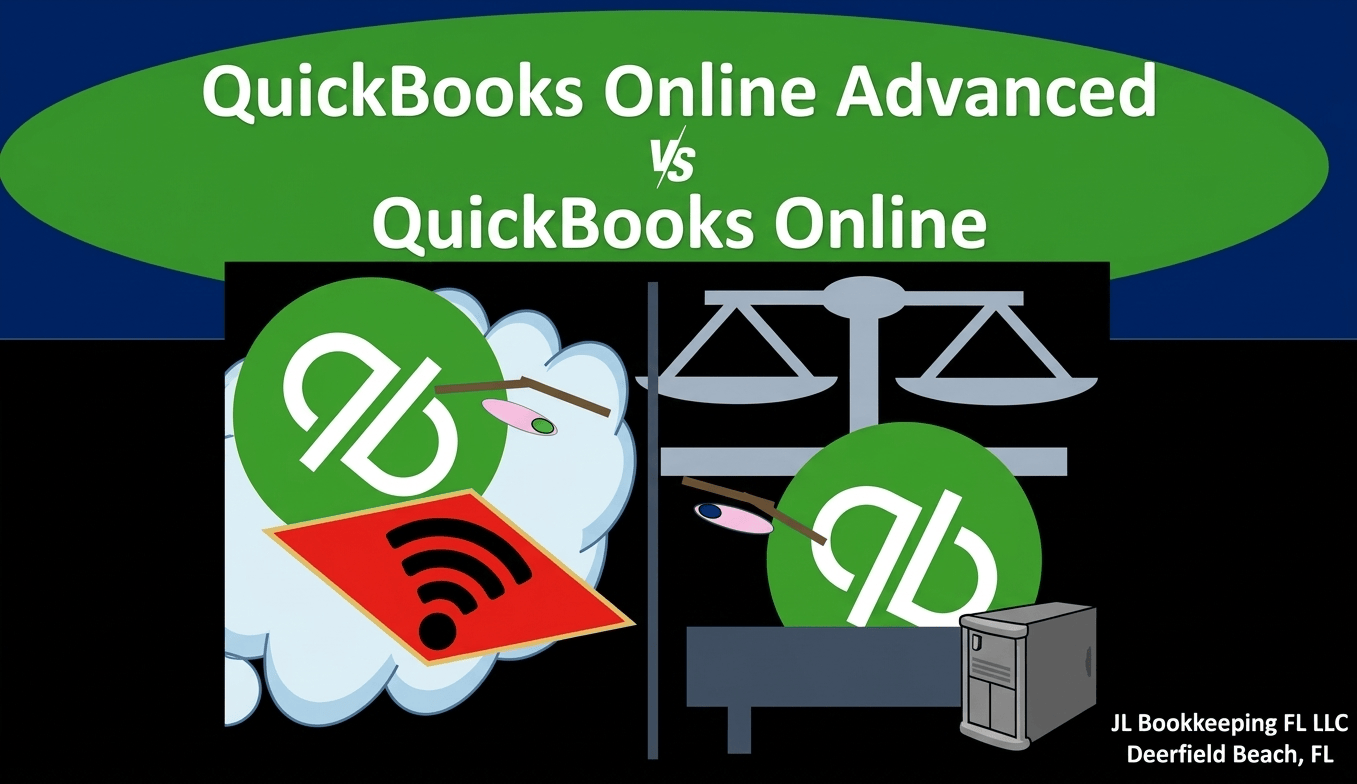
QuickBooks Online Plus is designed for small and growing businesses that need inventory, project profitability, budgeting, and class or location tracking. QuickBooks Online Advanced includes those features plus more users, advanced reporting, custom permissions, automation, batch transactions, unlimited classes and locations, and stronger tools for complex operations.
What Is the Difference Between QuickBooks Online Advanced and QuickBooks Online Plus?
The main difference between QuickBooks Online Advanced and QuickBooks Online Plus is the level of scale, automation, customization, reporting, and user control each plan provides.
Both plans support important accounting tasks, but they are designed for different business needs. QuickBooks Online Plus is built around core small-business accounting with additional tools for inventory and project profitability. Advanced adds tools for businesses with more users, more complex processes, larger amounts of data, and greater reporting needs.
QuickBooks Online Plus includes features such as:
- Income and expense tracking
- Invoicing
- Bill management
- Inventory tracking
- Purchase orders
- Project profitability tracking
- Budgeting
- Class and location tracking
- Business reports
- Up to 5 billable users
- Up to 40 combined classes and locations
QuickBooks Online Advanced includes everything in Plus and adds:
- Up to 25 billable users
- Unlimited classes and locations
- Unlimited chart of accounts
- More custom fields
- Custom user roles and permissions
- Custom report builder
- Workflow automation
- Batch transactions
- Excel data synchronization
- Cash-flow and profitability forecasting
- Backup and restore capabilities
- Advanced reporting and dashboards
The important point is that Advanced is not simply a more expensive version of Plus. Its additional tools are mainly useful when a business has more complicated accounting processes or needs greater control over users, reporting, automation, and data.
How Much Does QuickBooks Online Plus Cost Compared With Advanced?
As of September 2026, Intuit’s current U.S. pricing page lists QuickBooks Online Plus at $140 per month standard pricing and QuickBooks Online Advanced at $340 per month standard pricing. The same page currently displays promotional pricing of $70 per month for Plus and $170 per month for Advanced for three months. Promotional offers can change, so businesses should check current pricing before subscribing.
Comparison
| Feature / Capability | QBO Plus | QBO Advanced | Business Benefit |
|---|---|---|---|
| Pricing Model | Standard: $140/moPromo: $70/mo (3 mos) | Standard: $340/moPromo: $170/mo (3 mos) | Provides predictable software investment costs tailored to business size and functional requirements. |
| Billable Users | Up to 5 Users | Up to 25 Users | Expands team collaboration while maintaining individual accountability without sharing user credentials. |
| Accountant Firm Users | Up to 2 Users | Up to 3 Users | Allows direct access for external accounting and tax advisory teams without using billable user seats. |
| Classes & Locations | 40 Combined | Unlimited | Enables granular tracking across departments, branches, or revenue streams for targeted insights. |
| Chart of Accounts | Up to 250 Accounts | Unlimited | Supports detailed financial structures and comprehensive general ledger categorization. |
| Custom Fields | 4 per Transaction | 12 per Transaction | Captures detailed, business-specific data on sales and expenses to improve operational tracking. |
| Inventory Tracking | Included | Included | Prevents stockouts, automates reorder alerts, and calculates Cost of Goods Sold (COGS) in real time. |
| Project Profitability | Included | Included | Tracks job costs, labor, and expenses to ensure every client engagement or project remains profitable. |
| Advanced Workflows | Not Included | Included | Automates routine tasks such as payment reminders and approval processes, reducing manual errors. |
| Custom Roles & Permissions | Not Included | Included | Enhances security and data privacy by limiting user access strictly to relevant operational areas. |
| Batch Transactions | Not Included | Included | Saves significant administrative time by creating, editing, and sending multiple invoices/bills at once. |
| Custom Report Builder | Not Included | Included | Delivers executive-ready, tailored reporting and interactive charts for strategic decision-making. |
| Excel Data Sync | Not Included | Included | Facilitates live, two-way sync with Excel (Spreadsheet Sync) for complex modeling and data analysis. |
| Backup & Restore | Not Included | Included | Protects against data loss by offering automated continuous backups and point-in-time data restoration. |
The prices above are subscription prices listed by Intuit and do not necessarily represent the total cost of operating a business. Additional services, such as payroll or payment processing, can have separate costs.
For that reason, comparing only the monthly price can give an incomplete picture. A business should also consider how many users it needs, how much time it spends on repetitive bookkeeping tasks, how detailed its reports need to be, and how complex its accounting structure is.
What Features Does QuickBooks Online Plus Include?
QuickBooks Online Plus provides a broad set of accounting tools for businesses that need more than basic income and expense tracking.
According to Intuit, Plus is designed for businesses that sell products and services and need tools such as inventory tracking, purchase orders, and project profitability.
What Accounting Features Are Available in QuickBooks Online Plus?
QuickBooks Online Plus includes many of the everyday accounting functions a growing business needs.
These include:
- Invoicing customers
- Recording income
- Recording expenses
- Managing bills
- Tracking inventory
- Creating purchase orders
- Tracking project income and costs
- Creating budgets
- Running business reports
- Tracking classes
- Tracking locations
- Capturing receipts
- Tracking mileage
- Supporting multiple currencies
These features make Plus useful for businesses that have moved beyond very simple bookkeeping.
For example, a company selling products may need to know how many items it has in stock. A contractor may want to know whether a project is profitable. A business with several departments may want to compare income and expenses by class.
QuickBooks Online Plus can handle these needs without requiring the additional tools found in Advanced.
How Does QuickBooks Online Advanced Expand on QuickBooks Online Plus?
QuickBooks Online Advanced keeps the main features of Plus but adds tools for businesses that need more control and automation.
Intuit describes Advanced as a plan designed for growing businesses that need advanced tracking and reporting. It supports up to 25 billable users, unlimited classes and locations, custom permissions, custom reporting, workflow automation, Excel synchronization, and other advanced capabilities.
Advanced can help businesses that:
- Have larger accounting teams
- Need different permissions for different employees
- Process many transactions
- Need detailed management reports
- Have many locations or departments
- Want to automate approval processes
- Need batch transaction tools
- Want more flexible reporting
- Need additional custom fields
- Want stronger backup and restore options
The difference becomes more noticeable as a company grows.
A business with three employees and simple accounting may not need advanced automation. A business with several departments, managers, bookkeepers, sales staff, and many transactions may benefit from more control.
How Many Users Can QuickBooks Online Plus and Advanced Support?
QuickBooks Online Plus supports up to 5 billable users, while QuickBooks Online Advanced supports up to 25 billable users. Advanced also provides more accountant firm-user capacity.
This difference matters when several people need access to the same company file.
For example, a growing company might have:
- Owner
- Bookkeeper
- Office manager
- Sales manager
- Operations employee
Five billable users may be enough for that business.
A larger organization may need access for:
- Multiple bookkeepers
- Managers
- Sales staff
- Purchasing staff
- Operations staff
- Financial managers
- Business owners
In that situation, Advanced provides a much larger user allowance.
Advanced also provides custom roles that allow administrators to control what different users can see and do.
How Do Custom User Permissions Work in QuickBooks Online Advanced?
QuickBooks Online Advanced lets administrators create custom roles and control access to areas such as sales, expenses, payroll, reports, inventory, and banking.
This can be useful when employees should not have access to every part of the accounting system.
For example, a business could create a sales role that allows an employee to work with invoices and estimates without giving that employee access to sensitive accounting information.
Custom roles can include different levels of permissions, such as:
- View
- Create
- Edit
- Delete
- Approve
- Full access
Advanced can also restrict certain access by location in supported areas.
This creates a more controlled accounting environment.
For a small company where one or two people handle most accounting work, this may not be essential. For a larger team, detailed access control can become much more important.
What Are the Reporting Differences Between QuickBooks Online Plus and Advanced?
QuickBooks Online Plus provides many useful reports, while Advanced adds deeper customization and reporting tools.
Plus can provide reports for areas such as:
- Profit and loss
- Balance sheet
- Sales
- Expenses
- Inventory
- Projects
- Classes
- Locations
- Accounts payable
- Accounts receivable
Businesses can use these reports to understand where money is coming from and where it is going.
Advanced goes further with features such as custom report building, custom dashboards, and more advanced reporting capabilities.
Why Are Reports in QuickBooks Online Important?
Reports in QuickBooks Online turn transaction data into useful business information.
For example, a Profit and Loss report can show:
- Revenue
- Cost of goods sold
- Operating expenses
- Net income
A project report can help show the income and costs connected with a specific project.
A class-based report can help compare different departments or business segments.
QuickBooks allows Plus and Advanced users to run reports by class, including sales, purchases, and profit and loss by class.
Advanced becomes more useful when a business needs to build reports around its own specific management questions rather than relying mainly on standard reports.
Does QuickBooks Online Plus Support Inventory Management?
Yes, QuickBooks Online Plus supports inventory tracking, making it suitable for many businesses that buy and sell physical products.
Inventory features are available in both Plus and Advanced. QuickBooks can track quantities on hand, inventory value, product costs, and reorder information.
With inventory tracking, a business can:
- Add inventory products
- Record starting quantities
- Track quantities on hand
- Set reorder points
- Track purchase costs
- Assign preferred vendors
- Monitor inventory value
- Add inventory items to sales forms
QuickBooks also supports purchase orders in both Plus and Advanced.
Therefore, a business should not choose Advanced simply because it needs inventory. Plus already provides inventory functionality.
The decision should instead depend on the additional needs of the business.
Can QuickBooks Online Plus Track Project Profitability?
Yes. Both QuickBooks Online Plus and Advanced can track income and costs for projects and help businesses measure project profitability.
A business can use projects to track items such as:
- Customer
- Project income
- Labor costs
- Expenses
- Other project-related costs
This is useful for contractors, professional service companies, remodelers, agencies, and other businesses that complete work for specific customers.
For example, a remodeling company may create one project for a kitchen renovation. It can then track income and related costs connected to that project.
This helps the owner see whether the project is making or losing money.
Because Plus already includes project profitability tracking, a business does not automatically need Advanced for project accounting.
What Are the Main Benefits of QuickBooks Online Plus?
QuickBooks Online Plus provides a balance between standard accounting and more advanced small-business management tools.
Its key benefits include:
1. Inventory Tracking
Businesses can track products and inventory costs.
2. Project Profitability
Businesses can track income and expenses associated with projects.
3. Purchase Orders
Businesses can create purchase orders and connect them to later transactions.
4. Budgeting
Businesses can create budgets and compare financial activity with their plans.
5. Class and Location Tracking
Plus supports up to 40 combined classes and locations.
6. Five Billable Users
Plus supports up to five billable users, making it suitable for many small teams.
7. Business Reporting
Plus provides reports that help owners understand sales, expenses, profitability, inventory, and other financial information.
For businesses that fit within these limits, Plus may provide the tools they need without paying for features designed for larger or more complex operations.
What Are the Main Benefits of QuickBooks Online Advanced?
QuickBooks Online Advanced is focused on scale, automation, customization, and deeper management tools.
Its major benefits include:
- Up to 25 billable users
- Unlimited classes and locations
- Unlimited chart of accounts
- More custom fields
- Custom user roles
- Workflow automation
- Batch invoicing
- Batch expenses
- Advanced reporting
- Custom dashboards
- Custom report builder
- Excel data synchronization
- Forecasting tools
- Backup and restore features
These tools can reduce repetitive work and give managers more control over financial data.
For example, Advanced supports batch invoicing, allowing businesses to create multiple invoices at once rather than entering every invoice separately. Intuit says its batch invoicing workflow can create invoices 37% faster in its internal testing. That figure is an Intuit test result, not a guaranteed time saving for every business.
How Does Batch Invoicing Work in QuickBooks Online Advanced?
Batch invoicing allows businesses to create multiple invoices in one workflow instead of entering them individually.
This can be useful when a business sends many similar invoices.
For example, imagine a company that sends monthly invoices to 100 customers. Entering each invoice individually can require significant administrative time.
Advanced provides batch transaction tools that can help businesses:
- Create multiple invoices
- Import invoice information
- Duplicate similar invoices
- Enter multiple expenses
- Work with multiple bills
- Process other supported transactions in batches
The feature is particularly useful when transaction volume is high.
A business with only a few invoices each month may not receive much practical benefit from this feature.
What Are QuickBooks Online Advanced Workflows?
QuickBooks Online Advanced workflows automate certain business processes, such as reminders, invoice reviews, approvals, and notifications.
According to Intuit, Advanced currently provides more than 60 workflow automation templates covering areas such as invoices, bills, estimates, purchase orders, and bill payments.
A workflow can be designed around conditions and actions.
For example:
- A bill reaches a certain condition.
- QuickBooks checks the workflow rules.
- The system sends a notification or performs a supported action.
- The responsible team member receives the information.
This can reduce the need for someone to remember every repetitive task manually.
Workflows are one of the clearest differences when comparing quickbooks advanced vs plus.
Does QuickBooks Online Advanced Offer Better Data Control?
Yes, Advanced provides additional controls for users, reports, fields, and business information.
The current usage limits show that Plus allows:
- 5 billable users
- 40 combined classes and locations
- 250 chart-of-accounts entries
- 4 custom fields per transaction
Advanced allows:
- 25 billable users
- Unlimited classes and locations
- Unlimited chart of accounts
- 12 custom fields per transaction
These differences can matter as a business grows.
A small company may never reach these limits. A larger company with many departments, locations, accounts, and custom data fields may eventually need more capacity.
How Do Classes and Locations Compare in QuickBooks Online Plus vs Advanced?
QuickBooks Online Plus supports up to 40 combined classes and locations, while Advanced supports unlimited classes and locations under the current usage limits.
Classes can be used to organize business activity into meaningful groups.
Examples include:
- Departments
- Product lines
- Business divisions
- Service categories
Locations can help businesses track activity across different places.
For example, a business with several offices could use locations to separate financial activity.
QuickBooks allows users to run reports by class, including sales and profitability reports.
If a business has only a few departments or locations, Plus may be enough.
If the company has a large number of business segments, Advanced offers much more room to grow.
How Do QuickBooks Online Advanced and Plus Compare for Custom Fields?
QuickBooks Online Plus currently allows up to 4 custom fields per transaction, while Advanced allows up to 12 custom fields per transaction under Intuit’s published usage limits.
Custom fields can help businesses store information that is important to their operations.
For example, a company might need to track:
- Customer reference number
- Internal project number
- Sales representative
- Service category
- Location
- Purchase order reference
The need for many custom fields usually becomes more common as business processes become more complex.
For a simple operation, four fields may be enough. A larger organization may benefit from the additional flexibility of Advanced.
Which Plan Is Better for a Small Business With Simple Accounting?
QuickBooks Online Plus can be a practical fit for a small business that needs inventory, projects, budgets, and basic team access without advanced automation.
A small business may not need:
- 25 users
- Unlimited classes
- Custom workflow automation
- Custom report builder
- Batch transactions
- Advanced user permissions
If these tools are not needed, Plus already provides a substantial set of accounting features.
The key is to select features based on actual business requirements rather than selecting a plan simply because it has a higher price or more features.
Which Plan Is More Suitable for a Growing Business With a Larger Team?
QuickBooks Online Advanced is designed for businesses that need greater scale and control.
It may fit businesses that have:
- More than five billable users
- Many departments
- Multiple locations
- High transaction volume
- Complex reporting needs
- Repetitive approval processes
- Detailed user permissions
- Extensive customization requirements
Advanced supports up to 25 billable users and provides custom roles and permissions.
This can make accounting responsibilities easier to divide among a larger team.
For example, a sales employee could have access to sales-related functions, while a finance employee could receive broader accounting permissions.
Is QuickBooks Online Advanced Worth the Higher Cost?
The value of Advanced depends on whether the business will actually use its additional capabilities.
Advanced costs substantially more than Plus at the currently listed standard prices, so businesses should compare the extra cost with the time and control they expect to gain.
Advanced may provide useful value when a business needs:
- More users
- Advanced automation
- Batch processing
- Custom reporting
- Detailed permissions
- Unlimited classes and locations
- More customization
- Larger accounting structures
On the other hand, a business that only needs inventory, projects, budgeting, and standard reports may find that Plus already meets its needs.
The right question is not simply, “Which plan has more features?”
A better question is:
“Which features does the business actually need?”

What Should a Business Check Before Choosing QuickBooks Online Plus or Advanced?
A business should review its users, transactions, reporting, locations, inventory, and workflow requirements before choosing a plan.
Use this checklist:
User needs
- How many people need access?
- Do different employees need different permissions?
- Does the accounting team need more than five billable users?
Reporting needs
- Are standard reports enough?
- Does management need custom dashboards?
- Does the business need custom reports?
Transaction volume
- Are invoices entered one at a time?
- Are there hundreds of similar transactions?
- Would batch processing save meaningful time?
Business structure
- How many departments exist?
- How many locations exist?
- Does the business expect those numbers to grow?
Accounting processes
- Are approval workflows needed?
- Are recurring reminders important?
- Does the business need stronger user controls?
These questions can make the comparison much clearer.
How Can QuickBooks Setup Services Help a Business in Deerfield Beach, FL?
QuickBooks setup services in Deerfield Beach, FL can help businesses organize their QuickBooks Online account around their actual accounting needs.
A proper setup can include:
- Creating or reviewing the company file
- Setting up the chart of accounts
- Connecting bank and credit-card accounts
- Configuring customers and vendors
- Setting up products and services
- Setting up inventory where applicable
- Configuring invoices
- Creating classes or locations
- Setting up projects
- Reviewing user access
- Setting up reports
- Checking opening balances
- Reviewing accounting preferences
The setup stage is important because incorrect account categories or opening balances can affect later financial reports.
For a business searching for quickbooks setup in Deerfield Beach, FL, professional setup can provide a structured starting point rather than relying only on default settings.
What Should Businesses Look for in QuickBooks Online Setup Services Near Me?
Businesses searching for quickbooks online setup services near me should look for services that focus on accurate configuration, business needs, and long-term usability.
Useful setup support may include:
- Chart of accounts organization
- Bank connection setup
- Customer and vendor setup
- Product and service setup
- Inventory configuration
- Project setup
- Class and location setup
- Report configuration
- User permissions
- Data migration
- Account cleanup
- Reconciliation support
A setup provider should also explain what is being changed.
The goal is not simply to create a QuickBooks account. The goal is to create an accounting system that matches the way the business operates.
When Should a Business Search for QuickBooks Online Advanced Near Me?
A business may search for quickbooks online advanced near me when it has outgrown simpler accounting processes and needs Advanced-specific capabilities.
Common signs include:
- More than five billable users are needed
- Many invoices are processed regularly
- Employees need different permissions
- Reporting needs are becoming more complex
- The business has many locations
- Management wants custom dashboards
- The company wants workflow automation
- The accounting team wants batch transaction tools
These are business requirements, not automatic reasons to upgrade.
A smaller company may be able to operate efficiently on Plus for many years.
How Can QuickBooks Online Setup Services in Deerfield Beach, FL Support Local Businesses?
Quickbooks online setup services in Deerfield Beach, FL can help businesses configure their accounting system based on their industry and internal processes.
For example, a service business may need:
- Customer tracking
- Invoicing
- Expense categorization
- Time tracking
- Project profitability
- Financial reporting
A product-based business may need:
- Inventory
- Purchase orders
- Vendor tracking
- Product costs
- Sales reports
A business with several locations may need:
- Location tracking
- Class tracking
- Separate reports
- User permissions
- More detailed financial analysis
QuickBooks provides different tools for these situations, but proper configuration helps ensure those tools are used correctly.
How Can QuickBooks Online Be Used by Businesses in Boca Raton?
Businesses using quickbooks online in Boca Raton can use QuickBooks Online to manage common accounting tasks from an internet-connected device.
Depending on the plan, businesses can manage:
- Income
- Expenses
- Invoices
- Bills
- Inventory
- Projects
- Budgets
- Classes
- Locations
- Reports
- User access
QuickBooks Online Plus and Advanced both support project profitability and inventory-related features.
For a Boca Raton business, the choice between Plus and Advanced should be based on company size, transaction volume, user requirements, reporting needs, and the complexity of its accounting workflow.
What Does a QuickBooks Online Setup Process Usually Include?
A structured QuickBooks setup usually begins with understanding the business before changing accounting settings.
Step 1: Review the Business
First, identify:
- Business type
- Services or products
- Number of users
- Number of locations
- Inventory needs
- Reporting needs
- Existing accounting system
Step 2: Select the Appropriate Plan
Compare Plus and Advanced based on actual needs.
Step 3: Build the Chart of Accounts
The chart of accounts organizes financial transactions into categories such as:
- Income
- Cost of goods sold
- Expenses
- Assets
- Liabilities
- Equity
Step 4: Connect Financial Accounts
Bank and credit-card accounts can be connected where supported.
Step 5: Set Up Customers and Vendors
Accurate customer and vendor records make future bookkeeping easier.
Step 6: Configure Products and Services
Products and services should be organized with appropriate income and expense accounts.
Step 7: Configure Inventory or Projects
Businesses that use inventory or project tracking should configure those tools before regular transactions are entered.
Step 8: Configure Classes and Locations
These can help separate departments, business units, or locations.
Step 9: Set User Access
Advanced users can create custom roles and permissions based on employee responsibilities.
Step 10: Review Reports
The final setup should be tested through reports so that the business can confirm that transactions appear in the expected categories.
What Common QuickBooks Setup Mistakes Should Businesses Avoid?
Many QuickBooks problems begin with incorrect setup rather than with the software itself.
Common mistakes include:
- Creating too many unnecessary accounts
- Using the wrong income categories
- Mixing personal and business transactions
- Incorrect opening balances
- Failing to reconcile accounts
- Setting up inventory incorrectly
- Ignoring user permissions
- Creating duplicate customers
- Creating duplicate vendors
- Using classes inconsistently
- Failing to review reports
- Migrating data without checking it
A clean setup can make ongoing bookkeeping easier.
Businesses should also review their financial reports regularly rather than assuming the accounting file is correct simply because transactions are being entered.
How Can a Business Use Reports to Compare Plus and Advanced Needs?
Reports can help determine whether a business actually needs Advanced.
Start by asking what management wants to know.
For example:
Question: How much did the business earn?
Use income-related reports.
Question: Is the business profitable?
Review the Profit and Loss report.
Question: Which department performs better?
Use class tracking and class-based reports.
Question: Which project is profitable?
Use project profitability tools.
Question: Which location generates the most sales?
Use location-based reporting where appropriate.
Question: Do we need a report designed specifically around our internal data?
This is where Advanced’s additional reporting and customization tools can become more relevant.
What Is the QuickBooks Online Advanced vs Plus Comparison in Simple Terms?
The easiest way to understand the difference is to think of Plus as a strong small-business accounting plan and Advanced as a more scalable system for businesses with greater complexity.
| Feature or Need | QuickBooks Online Plus | QuickBooks Online Advanced | Business Benefit |
|---|---|---|---|
| Everyday Accounting | Yes | Yes | Streamlines income and expense tracking to keep financial records accurate and tax-ready year-round. |
| Invoicing | Yes | Yes | Accelerates cash flow with professional estimates, sales receipts, and automated customer billing. |
| Inventory Tracking | Yes | Yes | Monitors stock levels, calculates Cost of Goods Sold (COGS), and alerts you when it is time to reorder. |
| Purchase Orders | Yes | Yes | Simplifies vendor management and ensures purchase accuracy across your procurement process. |
| Project Profitability | Yes | Yes | Tracks job costs, labor, and project-specific expenses to ensure every engagement yields strong margins. |
| Budgeting | Yes | Yes | Enables proactive financial planning by creating fiscal budgets to measure revenue and expense targets. |
| Classes | Yes | Yes | Categorizes income and expenses by department, product line, or segment for deeper operational insight. |
| Locations | Up to 40 combined (with Classes) | Unlimited | Tracks profitability across multi-entity, regional, or store locations without structural limitations. |
| Billable Users | Up to 5 | Up to 25 | Facilitates team collaboration with distinct accounts, maintaining accountability as staff size grows. |
| Standard Reports | Yes | Yes | Provides essential financial statements (P&L, Balance Sheet, Cash Flow) out of the box. |
| Custom Report Builder | No | Yes | Delivers executive-level, tailored dashboards and presentation-ready charts for strategic insights. |
| Custom User Roles | No | Yes | Protects sensitive financial data by assigning granular permissions aligned with job roles. |
| Workflow Automation | Limited | Yes | Automates approvals, payment reminders, and tasks to minimize manual error and save valuable time. |
| Batch Transactions | No | Yes | Saves hours of manual entry by creating, editing, and sending bulk invoices and bills simultaneously. |
| Excel Data Sync | No | Yes | Enables dynamic, two-way sync with Microsoft Excel (Spreadsheet Sync) for advanced modeling and analysis. |
| Custom Fields | Up to 4 per transaction | Up to 12 per transaction | Captures detailed, business-specific data on transactions for tracking specialized metrics. |
| Chart of Accounts | Up to 250 | Unlimited | Accommodates complex general ledger structures and extensive revenue/expense categorizations. |
| Backup and Restore | No | Yes | Provides continuous, automated data backups and point-in-time restoration to prevent loss. |
Feature availability and usage limits can change as Intuit updates its products, so businesses should verify current plan details before making a subscription decision.
What Are the Key Benefits of QuickBooks Online Plus vs Advanced?
The key benefit of Plus is that it provides important tools for inventory, projects, budgeting, and business reporting without requiring the additional Advanced features.
The key benefit of Advanced is that it adds tools for scale and complexity.
| Business Need | Plus | Advanced |
| Small accounting team | Suitable | Available |
| Inventory management | Available | Available |
| Project tracking | Available | Available |
| Basic business reporting | Available | Available |
| Large accounting team | Limited to 5 billable users | Up to 25 billable users |
| Many locations | 40 combined classes/locations | Unlimited |
| Custom permissions | Limited | Advanced custom roles |
| High-volume invoicing | Standard workflow | Batch invoicing |
| Automated approvals | More limited | Workflow automation |
| Highly customized reporting | Standard/customization options | Custom report builder |
| Complex business structure | May become limiting | More scalable |
This comparison shows why there is no universal answer for every business.
The right plan depends on the business’s actual accounting structure and workload.
How Can JL Bookkeeping FL LLC Help With QuickBooks Online Services?
JL Bookkeeping FL LLC can support businesses that need help setting up and organizing QuickBooks Online for their accounting processes.
For businesses in Deerfield Beach and Boca Raton, setup and bookkeeping support can focus on areas such as:
- QuickBooks Online setup
- Chart of accounts organization
- Account cleanup
- Bank and credit-card connections
- Customer and vendor setup
- Inventory setup
- Project tracking
- Class and location setup
- Financial reports
- User access
- Ongoing bookkeeping support
The exact service should be based on the business’s accounting needs and the QuickBooks plan it uses.
For a company considering quickbooks online advanced vs quickbooks online plus, professional bookkeeping support can help review the differences and configure the selected plan correctly.
When Should a Business Choose QuickBooks Online Plus?
QuickBooks Online Plus may fit a business that needs inventory and project profitability but does not need the larger user capacity and advanced management tools in Advanced.
Plus may be appropriate when:
- The business has up to five billable users
- Inventory tracking is needed
- Project profitability is important
- Purchase orders are needed
- Budgeting is needed
- Standard reporting is enough
- Forty or fewer combined classes and locations are sufficient
- Advanced automation is not required
The plan provides a strong collection of accounting and business management tools.
When Should a Business Consider QuickBooks Online Advanced?
QuickBooks Online Advanced may be worth considering when the business needs more scalability and control.
Advanced can be useful when:
- More than five billable users are required
- The company has many locations
- The business needs unlimited classes and locations
- Managers need different permissions
- The company processes many invoices or transactions
- Custom reporting is important
- Automated workflows are useful
- Excel data synchronization is needed
- Management needs more detailed dashboards
- The accounting structure is becoming more complex
Advanced is designed around these types of requirements.
Frequently Asked Questions
Is QuickBooks Online Advanced better than Plus?
QuickBooks Online Advanced has more users, customization, automation, reporting, and scalability features. QuickBooks Online Plus provides inventory, project profitability, budgeting, and other tools that may be enough for many small businesses.
What is the main difference between QuickBooks Online Plus and Advanced?
The main difference is that Advanced adds higher user limits, unlimited classes and locations, custom permissions, advanced reporting, workflows, batch transactions, and other scalability tools to the features already available in Plus.
Can QuickBooks Online Plus track inventory and projects?
Yes. QuickBooks Online Plus supports inventory tracking and project profitability, so a business does not need Advanced simply to manage inventory or projects.
How many users can QuickBooks Online Advanced support?
QuickBooks Online Advanced currently supports up to 25 billable users, compared with up to 5 billable users for QuickBooks Online Plus. Advanced also provides custom roles and permissions for managing user access.
Conclusion: Which QuickBooks Online Plan Fits Your Business?
The choice between quickbooks online advanced vs quickbooks online plus depends on business size, accounting complexity, user requirements, transaction volume, reporting needs, and future growth.
QuickBooks Online Plus includes important tools such as inventory tracking, project profitability, purchase orders, budgeting, classes, locations, and business reports. Advanced adds greater scalability through 25 billable users, unlimited classes and locations, custom permissions, workflow automation, batch transactions, advanced reporting, and other tools.
Businesses in Deerfield Beach and Boca Raton can review their accounting needs before choosing a plan. For help with quickbooks setup in Deerfield Beach, FL, quickbooks online setup services in Deerfield Beach, FL, or ongoing QuickBooks support, JL Bookkeeping FL LLC can help organize the accounting system around the business’s needs.