The right bookkeeping software helps a business record income and expenses, reconcile bank transactions, send invoices, track bills, and create useful financial reports. The best option depends on business size, transaction volume, required features, budget, integrations, ease of use, and whether a bookkeeper or accountant will manage the books.
For a small business owner searching for top bookkeeping software near me, the goal should not be to find the software with the longest feature list. The better approach is to find software that matches the business’s actual accounting needs.
A business may only need basic income and expense tracking today but require invoicing, payroll integration, inventory tracking, project accounting, sales tax support, or advanced reporting as it grows.
Cloud-based accounting platforms have also changed how small businesses manage their financial records. Modern platforms can connect with bank accounts, import transactions, automate parts of reconciliation, send invoices, store receipts, and allow business owners and accounting professionals to work from different locations.
Xero, for example, currently provides features such as bank reconciliation, invoicing, bill management, expense tracking, financial reporting, project tracking, and online payments. Zoho Books similarly provides invoicing, expense tracking, bank feeds, reconciliation, online payments, project management, and role-based access.
The important point is simple: good bookkeeping software should make financial work easier without making the accounting system unnecessarily complicated.
What Should You Look for in Top Bookkeeping Software Near Me?
The most important features to look for in top bookkeeping software near me are bank reconciliation, income and expense tracking, invoicing, reporting, receipt management, integrations, security, scalability, and access for accounting professionals.
Before choosing software, consider these core requirements:
- Bank connection: Can the software connect to business bank accounts and credit cards?
- Bank reconciliation: Can transactions be matched against the accounting records?
- Income tracking: Can the business record sales and other income correctly?
- Expense tracking: Can expenses be categorized and reviewed?
- Invoicing: Can professional invoices be created and sent?
- Bill tracking: Can unpaid vendor bills be monitored?
- Receipt storage: Can digital receipts be attached to transactions?
- Financial reports: Can the software produce reports such as profit and loss and balance sheets?
- Tax support: Does it provide information useful for tax preparation?
- Integrations: Can it connect with payment processors, payroll systems, ecommerce platforms, or other business tools?
- User permissions: Can the owner control what employees, bookkeepers, and accountants can access?
- Scalability: Will the system still work when the business becomes larger?
- Mobile access: Can important financial information be accessed from a phone or tablet?
- Data export: Can records be exported if the business changes platforms?
A business owner should also check whether the software supports the company’s accounting method, reporting requirements, industry needs, and transaction volume.
Why Does Bank Reconciliation Matter So Much?
Bank reconciliation matters because it compares accounting records with bank activity and helps identify missing, duplicated, or incorrectly recorded transactions.
For example, suppose a business owner’s bank account shows a $500 payment to a supplier. The accounting system should contain the correct transaction and category.
During reconciliation, the business can compare the bank activity with the accounting records.
This process can help identify:
- Missing transactions
- Duplicate entries
- Incorrect transaction amounts
- Incorrect expense categories
- Unrecorded bank fees
- Deposits that were not entered
- Payments that were entered incorrectly
Modern bookkeeping software can automate parts of this process. Xero, for example, provides automated bank feeds, suggested transaction matching, bank rules, and reconciliation tools.
Automation can save time, but it does not remove the need for review. A software suggestion can still be wrong if the transaction is unusual or the account has been categorized incorrectly.
What Are the Top Bookkeeping Software Options for Small Businesses?
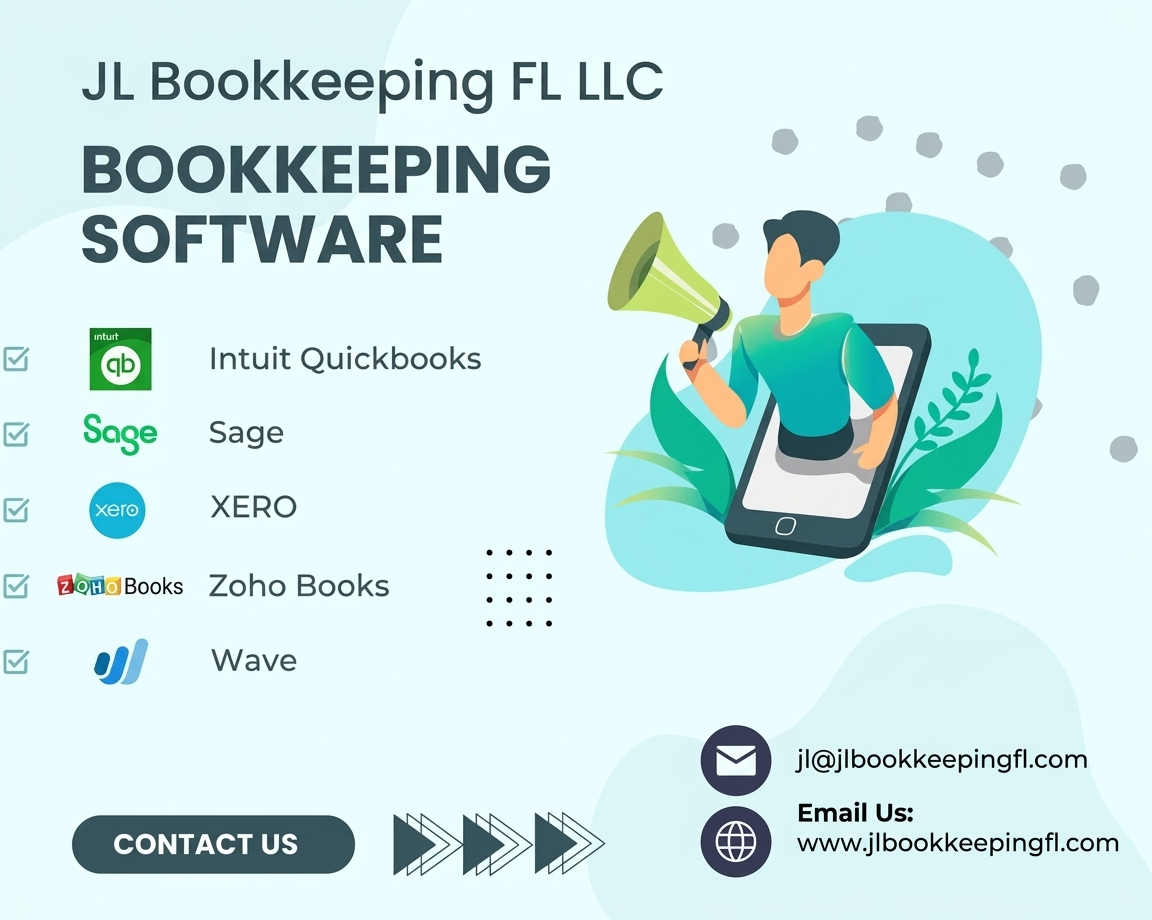
The main bookkeeping and accounting software options worth researching include QuickBooks Online, Xero, Zoho Books, Wave, and FreshBooks, but the best choice depends on the business’s specific needs.
There is no single platform that is perfect for every business.
Some businesses prioritize accounting depth. Others care more about simple invoicing. A service business may need project and time tracking. An ecommerce company may need inventory and sales integrations. A growing company may need stronger reporting and collaboration features.
Which Software Features Should Small Businesses Compare?
Small businesses should compare software based on practical functions rather than brand popularity alone.
| Software Platform | Best Fit | Important Features to Review | Potential Advantage |
|---|---|---|---|
| QuickBooks Online | Businesses needing broad accounting tools | Banking feeds, financial reports, invoicing, expense tracking, and third-party app integrations | Large software ecosystem and broad end-to-end accounting functionality |
| Xero | Small and growing businesses | Bank reconciliation, invoicing, bill management, financial reports, and multi-user collaboration | Strong cloud-native accounting and streamlined bank reconciliation |
| Zoho Books | Small businesses wanting integrated business tools | Automated banking, invoicing, expense tracking, project accounting, and workflow automation | Seamless integration within the broader Zoho suite and ecosystem |
| Wave | Very small businesses and sole proprietors with basic needs | Invoicing, income/expense tracking, and core bookkeeping features | Simple, cost-effective approach for qualifying small businesses |
| FreshBooks | Service-based businesses and freelancers | Custom invoicing, expense tracking, time tracking, and client management tools | Strong focus on client billing, time management, and service workflows |
This table is a starting point, not a ranking. Features, plan limits, integrations, and pricing can change, so businesses should review the current plan information before subscribing.
Xero currently describes its platform as supporting accounting, invoicing, payments, bills, expenses, bank reconciliation, payroll-related functionality, project tracking, and mileage tracking. Zoho Books provides features including automated invoice workflows, expense categorization, receipt capture, bank feeds, reconciliation, and project management.
The most suitable platform is the one that fits the company’s workflow and reporting requirements.
What Is Online Bookkeeping Software for Small Business?
Online bookkeeping software for small business is cloud-based software that allows businesses to manage financial records through an internet-connected system rather than relying only on locally installed accounting files.
Cloud software can provide several practical benefits.
How Does Cloud Bookkeeping Work?
Cloud bookkeeping stores financial information on a hosted platform that users can access through supported devices and applications.
Depending on the software, a business may be able to:
- Connect business bank accounts.
- Import transactions.
- Categorize income and expenses.
- Reconcile transactions.
- Create invoices.
- Record payments.
- Track bills.
- Upload receipts.
- Generate financial reports.
- Give controlled access to a bookkeeper or accountant.
This can make collaboration easier because multiple authorized users can work with the same accounting records.
Zoho Books, for example, describes role-based access that allows different users to interact with financial information based on their assigned permissions.
Xero also supports collaboration and cloud-based financial management, allowing businesses and accounting professionals to work with shared financial information.
Why Is Online Bookkeeping Useful for Small Businesses?
Online bookkeeping can be useful because small business owners often have limited time and may need access to financial information while away from the office.
A business owner may need to check:
- Current cash position
- Outstanding invoices
- Upcoming bills
- Recent expenses
- Sales activity
- Profit and loss
- Bank transactions
Cloud software can make this information easier to access.
However, online access does not automatically mean the records are accurate. Correct account setup, transaction categorization, reconciliation, documentation, and periodic review are still important.
What Is Software for Bookkeeping Business Use?
Software for bookkeeping business purposes refers to accounting platforms that help a bookkeeper organize, record, reconcile, report, and maintain financial transactions for one or more businesses.
A professional bookkeeper may manage financial records for several clients, so collaboration and access controls can become particularly important.
What Should a Professional Bookkeeper Look for?
A bookkeeper should evaluate:
- Multi-client management
- User permissions
- Bank feeds
- Bank reconciliation
- Transaction rules
- Receipt management
- Financial reporting
- Accountant or bookkeeper access
- Data export
- Audit trails
- Integration options
- Payroll connections
- Sales tax functionality
- Ease of correcting errors
- Client collaboration
A simple accounting platform may be enough for a freelancer with a small number of transactions. A bookkeeper serving several growing businesses may require more advanced features.
Does More Software Automation Mean Less Bookkeeping Work?
Not necessarily.
Automation can reduce repetitive data entry, but financial records still need human review.
For example, an accounting system may automatically suggest that a transaction belongs to “Office Supplies.” If the purchase was actually a computer, the category may need to be changed.
Automation is most useful when it reduces repetitive work while allowing a qualified person to review important decisions.
That distinction is especially important when comparing top bookkeeping software near me.
The question should not simply be, “Which software automates the most?”
A better question is:
“Which software automates the right tasks while giving me enough control to verify the records?”
What Are the Most Important Bookkeeping Software Features?
The most important bookkeeping software features are transaction tracking, reconciliation, invoicing, expense management, financial reporting, documentation, integrations, and security.
What Does Transaction Tracking Do?
Transaction tracking records money moving into and out of a business.
Typical transactions include:
- Customer payments
- Vendor payments
- Bank fees
- Credit card purchases
- Loan payments
- Owner contributions
- Owner draws
- Refunds
- Transfers
- Sales
Good bookkeeping requires transactions to be recorded in the correct accounts.
How Does Expense Tracking Help?
Expense tracking helps a business understand where money is being spent.
Common expense categories can include:
- Advertising
- Office expenses
- Rent
- Utilities
- Software subscriptions
- Professional services
- Insurance
- Travel
- Vehicle expenses
- Supplies
Correct categorization matters because financial reports depend on accurate account classification.
Why Are Financial Reports Important?
Financial reports turn transaction data into information that business owners can use.
Common reports include:
- Profit and loss statement
- Balance sheet
- Cash flow information
- Accounts receivable reports
- Accounts payable reports
- Expense reports
- Sales reports
- General ledger
- Trial balance
A business owner can use these reports to understand revenue, expenses, assets, liabilities, and overall financial activity.
How Do You Choose the Right Bookkeeping Software for Your Business?
You choose the right bookkeeping software by matching the software’s features to your business size, industry, transaction volume, accounting needs, budget, integrations, and professional support requirements.
A practical selection process can be completed in several steps.
What Should You Identify Before Comparing Software?
First, identify the business’s actual bookkeeping requirements.
Write down:
- Number of bank accounts
- Number of credit cards
- Approximate monthly transactions
- Number of employees
- Invoicing needs
- Vendor bill volume
- Inventory requirements
- Payroll requirements
- Sales tax needs
- Project tracking needs
- Reporting requirements
- Ecommerce connections
- Payment processing connections
- Number of people who need access
This creates a clear checklist.
How Should You Compare Software Plans?
Do not compare plans only by monthly price.
Instead, compare:
- Included features
- Number of users
- Bank connections
- Invoice limits
- Bill limits
- Reporting capabilities
- Payroll availability
- Integration availability
- Customer support
- Data export options
- Upgrade costs
- Additional transaction or payment fees
A low-cost plan may become expensive if the business needs several add-ons.
Should You Test Software Before Buying It?
Yes, when a trial or demonstration is available, testing the software can help identify problems before committing.
During the test, try realistic tasks:
- Add a bank account.
- Import transactions.
- Create an invoice.
- Record an expense.
- Upload a receipt.
- Reconcile a bank account.
- Run a profit and loss report.
- Invite another user.
- Search for a transaction.
- Correct an incorrectly categorized transaction.
If these tasks are difficult, the platform may create unnecessary work.
What Should Businesses in Boca Raton Consider When Choosing Bookkeeping Software?
Businesses searching for bookkeeping software in Boca Raton should consider software that supports their industry, business size, reporting needs, banking workflow, invoicing process, and collaboration with local bookkeeping or accounting professionals.
Boca Raton businesses can include service companies, professional firms, contractors, retailers, consultants, restaurants, healthcare-related businesses, property-related companies, and many other business types.
Each type can have different bookkeeping requirements.
What Does a Service Business Need?
A service business may prioritize:
- Invoicing
- Customer records
- Expense tracking
- Time tracking
- Project profitability
- Payment processing
- Recurring invoices
- Financial reporting
For example, a consulting business may have few physical products but many client invoices.
What Does a Retail or Product Business Need?
A product-based business may require:
- Inventory tracking
- Purchase orders
- Cost tracking
- Sales integration
- Payment integration
- Inventory valuation
- Vendor management
The right bookkeeping system should match the business model.
Why Does Local Bookkeeping Support Matter?
Software does not replace accounting knowledge.
A business may have an excellent platform but still produce inaccurate books if transactions are categorized incorrectly or accounts are not reconciled.
For this reason, businesses looking for top bookkeeping software in Deerfield Beach, FL or Boca Raton should consider not only the software itself but also who will set it up, review it, reconcile it, and maintain it.
What Should Businesses in Deerfield Beach Look for in Bookkeeping Software?
Businesses searching for top bookkeeping software in Deerfield Beach, FL should focus on software that makes daily bookkeeping accurate, organized, accessible, and scalable.
The location does not determine which software is technically best. The business’s accounting requirements do.
What Should a Small Local Business Track?
At minimum, many small businesses need to monitor:
- Business income
- Operating expenses
- Bank activity
- Credit card activity
- Customer invoices
- Vendor bills
- Taxes
- Owner transactions
- Loans
- Assets
- Liabilities
The exact requirements depend on the business structure and tax situation.
Why Should Business Owners Separate Personal and Business Transactions?
Business owners should generally maintain separate business and personal financial activity.
Mixing transactions can make bookkeeping more difficult and can complicate the process of determining which transactions belong to the business.
A separate business bank account can make reconciliation and financial reporting easier.
Software works best when the underlying financial workflow is organized.
What Is Bookkeeping Software for Small Business Near Me?
Bookkeeping software for small business near me is usually a search phrase used by business owners looking for software, bookkeeping support, or accounting services that fit their local business needs.
Software itself is generally not limited by a small geographic area because many modern platforms operate online.
However, local support can still matter.
A business owner may search for top bookkeeping software near me because they want someone nearby who can help with:
- Software selection
- Setup
- Chart of accounts
- Bank connections
- Reconciliation
- Cleanup
- Monthly bookkeeping
- Reporting
- Bookkeeping training
- Accounting software questions
This is where software and professional bookkeeping services can work together.
What Is Accounting Software in Boca Raton and How Does It Differ From Bookkeeping Software?
Accounting software in Boca Raton generally refers to software that manages a wider range of financial processes, while bookkeeping software is often used as a simpler term for tools that record and organize financial transactions.
In everyday business conversations, the terms “bookkeeping software” and “accounting software” are often used interchangeably.
However, accounting software may include broader capabilities such as:
- Financial reporting
- Accounts payable
- Accounts receivable
- Tax-related information
- Payroll integration
- Inventory
- Project accounting
- Budgeting
- Financial analysis
- Multi-currency support
- Advanced reporting
Is Bookkeeping Part of Accounting?
Yes.
Bookkeeping is an important part of accounting.
Bookkeeping generally focuses on recording and organizing financial transactions.
Accounting can involve a broader process of:
- Interpreting financial records
- Preparing reports
- Analyzing financial information
- Supporting tax preparation
- Budgeting
- Financial planning
- Compliance activities
The exact division of responsibilities varies by business and professional role.
What Is the Difference Between Bookkeeper and Bookkeeping Software?
A bookkeeper is a person who performs bookkeeping work, while bookkeeping software is a technology tool that helps record, organize, reconcile, and report financial information.
This distinction is important.
Software is a tool.
A bookkeeper is a professional who can use that tool.
What Can Bookkeeping Software Do?
Depending on the platform, software can:
- Import transactions
- Categorize transactions
- Create invoices
- Track expenses
- Store receipts
- Reconcile accounts
- Produce reports
- Track bills
- Automate recurring tasks
- Provide financial dashboards
What Can a Bookkeeper Do?
A bookkeeper can:
- Review transactions
- Correct categorization errors
- Reconcile accounts
- Maintain the chart of accounts
- Review unusual transactions
- Identify missing information
- Organize financial records
- Prepare reports
- Communicate with business owners
- Coordinate with accountants or tax professionals
A software platform may identify a transaction, but a knowledgeable professional can determine whether the transaction has been recorded correctly in the context of the business.
Should You Use Paid or Free Bookkeeping Software?
You should use free bookkeeping software when your needs are basic and the free plan genuinely includes the functions your business requires; paid software may make more sense when you need advanced features, integrations, automation, support, or greater capacity.
What Are the Benefits of Free Software?
Free software can be useful for:
- Very small businesses
- Freelancers
- New businesses
- Low transaction volumes
- Basic income tracking
- Basic expense tracking
- Simple invoicing
The main benefit is lower financial commitment.
What Are the Limitations of Free Software?
A free plan may have limitations involving:
- Number of users
- Advanced reports
- Bank connections
- Payroll
- Inventory
- Integrations
- Automation
- Customer support
- Invoice features
- Data limits
A business should always check current terms because free plans can change.
When Is Paid Software Worth the Cost?
Paid software may be worthwhile when it saves meaningful time or supports important business processes.
For example, paying for software may make sense if it provides:
- Automatic bank feeds
- Faster reconciliation
- Better reports
- Automated invoice reminders
- Receipt capture
- Advanced integrations
- Multi-user access
- Inventory tools
- Project tracking
- Better support
The question should be:
Does the software provide enough value to justify its total cost?
How Much Should a Small Business Spend on Bookkeeping Software?
A small business should base its software budget on the value of accurate records, time savings, required features, and the cost of additional tools or professional support.
There is no universal software budget that fits every company.
A very small service business may need only basic functionality.
A growing business may need:
- Multiple users
- Advanced reporting
- Payroll integration
- Inventory
- Project tracking
- Automated workflows
- Payment processing
- Tax support
- More integrations
Businesses should also consider costs outside the software subscription.
Possible additional costs include:
- Payment processing
- Payroll services
- Payroll tax support
- Add-on applications
- Inventory tools
- Receipt applications
- Professional bookkeeping
- Accounting services
- Setup or cleanup services
A cheap platform may not be the cheapest overall solution if it requires many separate tools.
How Important Are Software Integrations for Bookkeeping?
Software integrations are important when a business uses several systems that need to share financial information.
Common integrations can include:
- Banks
- Credit cards
- Payment processors
- Payroll platforms
- Ecommerce platforms
- Customer relationship management systems
- Expense applications
- Inventory platforms
- Time-tracking systems
- Tax tools
Integrations can reduce duplicate data entry.
For example, if a payment system can send transaction information into the accounting platform, the business may not need to manually enter every payment.
However, integrations should still be reviewed regularly.
A connected system can transfer incorrect data if the integration is configured incorrectly.
How Does Automation Improve Bookkeeping?
Automation improves bookkeeping by reducing repetitive manual tasks such as importing transactions, matching payments, sending invoice reminders, capturing receipts, and applying predefined rules.
For example, modern cloud accounting systems can automate parts of bank reconciliation.
Xero currently describes automated bank feeds, transaction matching, bank rules, and automated reconciliation capabilities.
Zoho Books also provides bank feeds and custom rules for automatically categorizing and matching imported transactions.
Can Automation Make Bookkeeping More Accurate?
Automation can reduce certain manual-entry errors, but it does not guarantee accuracy.
Accuracy depends on:
- Correct setup
- Correct account categories
- Reliable source data
- Proper bank connections
- Regular reconciliation
- Human review
- Good bookkeeping practices
Automation should therefore be viewed as assistance rather than a replacement for financial oversight.
How Secure Is Cloud Bookkeeping Software?
Cloud bookkeeping security depends on the software provider, account settings, authentication practices, user permissions, data protection measures, and the business’s own security habits.
Businesses should look for:
- Strong passwords
- Multi-factor authentication
- Role-based permissions
- Secure connections
- Regular software updates
- Controlled user access
- Reliable data backup practices
- Clear account recovery procedures
Businesses should also remove access for former employees or contractors when they no longer need it.
Why Are User Permissions Important?
User permissions allow businesses to control what different people can see or change.
For example:
- An employee may only need invoice access.
- A bookkeeper may need broader accounting access.
- An accountant may need access to reports and tax information.
- An owner may need full administrative access.
Role-based access can reduce unnecessary exposure and accidental changes.
What Reports Should Good Bookkeeping Software Provide?
Good bookkeeping software should provide reports that help the business understand revenue, expenses, assets, liabilities, receivables, payables, and profitability.
Important reports can include:
What Is a Profit and Loss Statement?
A profit and loss statement summarizes income and expenses for a selected period.
It can help answer:
- How much revenue did the business earn?
- What were total expenses?
- Was the business profitable?
- Which expenses increased?
- How did this period compare with another period?
What Is a Balance Sheet?
A balance sheet shows a company’s financial position at a specific point in time.
It generally includes:
- Assets
- Liabilities
- Equity
What Is an Accounts Receivable Report?
An accounts receivable report helps show money customers owe the business.
It can help identify:
- Current invoices
- Overdue invoices
- Customer balances
- Aging receivables
What Is an Accounts Payable Report?
An accounts payable report helps track money the business owes to vendors.
This can help with:
- Upcoming payments
- Overdue bills
- Vendor balances
- Cash planning
How Does Business Size Affect the Choice of Bookkeeping Software?
Business size affects the choice of bookkeeping software because transaction volume, users, reporting needs, integrations, payroll, inventory, and financial complexity usually increase as a business grows.
What Does a New Business Usually Need?
A new business may start with:
- Income tracking
- Expense tracking
- Bank reconciliation
- Invoicing
- Basic reports
- Receipt storage
What Does a Growing Business Need?
A growing business may require:
- Multiple users
- Advanced reporting
- Payroll integration
- Accounts payable
- Accounts receivable
- Inventory
- Project tracking
- Automated workflows
- More integrations
What Does a Larger Business Need?
A larger business may need a more advanced accounting system or even an ERP platform.
Requirements can include:
- Department reporting
- Multiple locations
- Complex inventory
- Advanced permissions
- Multiple entities
- Consolidated reporting
- Advanced financial controls
- Extensive integrations
The best software is therefore not necessarily the one with the most features. It is the one that fits the company’s current needs while providing a reasonable path for growth.
What Mistakes Should You Avoid When Choosing Bookkeeping Software?
The biggest mistakes include choosing software based only on price, selecting too many features, ignoring integrations, skipping a trial, failing to consider professional support, and not planning for future growth.
Why Should You Avoid Choosing Software Only Because It Is Cheap?
Price is important, but software must also provide the features the business needs.
A low-cost system can become expensive if the business later needs several additional applications.
Why Should You Avoid Choosing Software With Too Many Features?
More features can create more complexity.
If a small business only needs invoicing, expenses, bank reconciliation, and basic reports, an extremely complicated platform may create an unnecessary learning curve.
Why Should You Consider Future Growth?
Changing accounting platforms can require data migration, account restructuring, user training, and reconciliation.
Choosing a system that can reasonably grow with the business may reduce the need for an early migration.
How Can You Compare Top Bookkeeping Software Near Me Without Getting Confused?
You can compare top bookkeeping software near me by creating a simple scorecard based on the features the business actually needs.
Instead of asking which software has the most features, divide your needs into three groups.
What Are Essential Features?
Essential features are functions the business cannot operate without.
Examples:
- Bank reconciliation
- Expense tracking
- Invoicing
- Financial reports
- Bank connections
What Are Useful Features?
Useful features can save time but may not be essential.
Examples:
- Receipt scanning
- Automated reminders
- Mobile applications
- Custom dashboards
- Automated transaction rules
What Are Future Features?
Future features may become important as the company grows.
Examples:
- Inventory
- Advanced reporting
- Multiple entities
- Project accounting
- More users
- Advanced integrations
This method makes software comparison easier.
How Can a Business Test Top Bookkeeping Software Near Me Before Choosing It?
A business can test top bookkeeping software near me by using real-world bookkeeping tasks instead of simply reading marketing descriptions.
Try the following test:
- Connect a sample or business bank account if appropriate.
- Import transactions.
- Categorize several expenses.
- Create an invoice.
- Record a payment.
- Upload a receipt.
- Reconcile a bank account.
- Run a profit and loss report.
- Search for an old transaction.
- Correct an accounting error.
- Invite a bookkeeper.
- Review user permissions.
- Export a report.
If the process feels confusing, ask whether professional setup or training would solve the problem.
Can a Bookkeeper Help You Choose Bookkeeping Software?
Yes, a bookkeeper can help evaluate software based on the company’s actual financial workflow and ongoing bookkeeping requirements.
A professional can help identify:
- Required accounts
- Business transaction categories
- Bank connections
- Reconciliation procedures
- Reporting requirements
- Software compatibility
- Integration needs
- Cleanup requirements
- Monthly bookkeeping processes
This can be especially helpful for business owners who do not have an accounting background.
Why Is Software Setup Important?
Poor setup can create problems later.
For example, if the chart of accounts is poorly designed, reports may not provide useful information.
If bank accounts are connected incorrectly, reconciliation may become difficult.
If duplicate accounts are created, financial reports can become confusing.
Good setup creates a stronger foundation.
How Does JL Bookkeeping FL LLC Relate to Bookkeeping Software Selection?
JL Bookkeeping FL LLC provides bookkeeping-related support for businesses in areas including Boca Raton and Deerfield Beach, Florida, where business owners may need help selecting, setting up, organizing, and maintaining bookkeeping systems.
The role of professional bookkeeping is not simply to enter numbers into software.
It can also involve helping businesses maintain organized financial records, reconcile accounts, review transactions, and understand financial reports.
For a business searching for top bookkeeping software near me, professional guidance can help connect software capabilities with actual bookkeeping needs.
The software remains a tool, while bookkeeping knowledge helps ensure the tool is being used correctly.
What Should You Ask a Bookkeeper Before Choosing Software?
Before selecting software or hiring someone to manage it, ask practical questions.
Can You Help Set Up the Software?
Ask whether the professional can help with:
- Account setup
- Chart of accounts
- Bank connections
- User permissions
- Opening balances
- Basic workflows
Can You Clean Up Existing Books?
If the business already has accounting records, ask whether the professional provides bookkeeping cleanup.
Cleanup may involve:
- Reconciliation
- Duplicate transactions
- Uncategorized transactions
- Incorrect account classifications
- Missing transactions
- Old outstanding balances
Can You Provide Ongoing Bookkeeping?
A business may need monthly bookkeeping instead of one-time setup.
Ask how often books are reviewed and reconciled.
Can You Work With the Business’s Existing Software?
If the business already uses accounting software, switching may not be necessary.
A qualified bookkeeper may be able to improve the existing system through cleanup, better categorization, reconciliation, and workflow changes.
Is Bookkeeping Software Enough for Tax Preparation?
Bookkeeping software can organize financial information needed for tax preparation, but software alone does not necessarily replace professional tax advice or tax preparation.
The software can help maintain records such as:
- Income
- Expenses
- Assets
- Liabilities
- Payments
- Financial reports
A tax professional may then use those records to prepare the appropriate tax filings.
Businesses should keep supporting documentation according to applicable legal and tax requirements.
How Often Should Bookkeeping Software Records Be Reconciled?
Bank and credit card accounts should generally be reconciled regularly, with frequency depending on transaction volume and business needs.
Monthly reconciliation is common for many small businesses because it allows discrepancies to be identified before they become difficult to trace.
Businesses with high transaction volumes may benefit from more frequent review.
Regular reconciliation can help detect:
- Missing transactions
- Duplicate transactions
- Incorrect amounts
- Bank fees
- Unrecorded payments
- Incorrect classifications
Waiting until tax season can make cleanup much more difficult.
How Can Small Businesses Keep Their Bookkeeping Software Organized?
Small businesses can keep bookkeeping software organized by maintaining a clean chart of accounts, reconciling regularly, separating personal and business activity, storing supporting documents, and reviewing unusual transactions.
A simple monthly routine can include:
Step 1: Review Bank Transactions
Check that all expected transactions have been imported.
Step 2: Categorize Transactions
Assign income and expenses to the correct accounts.
Step 3: Reconcile Accounts
Compare the accounting records with bank and credit card statements.
Step 4: Review Unusual Transactions
Investigate transactions that do not fit normal business activity.
Step 5: Review Receivables
Check unpaid customer invoices.
Step 6: Review Payables
Check outstanding vendor bills.
Step 7: Run Reports
Review the profit and loss statement and balance sheet.
Step 8: Store Supporting Documents
Keep receipts, invoices, statements, and other important records organized.
This routine can make year-end accounting easier.
What Is the Difference Between Bookkeeping Software and a Spreadsheet?
Bookkeeping software is designed specifically for financial recordkeeping, while a spreadsheet is a general-purpose tool that requires more manual organization and control.
A spreadsheet can be useful for:
- Simple calculations
- Budgets
- Lists
- Basic tracking
- Temporary records
However, dedicated bookkeeping software can provide:
- Bank feeds
- Automated reconciliation
- Invoicing
- Financial reports
- Audit trails
- User permissions
- Receipt storage
- Transaction search
- Accounting workflows
For businesses with regular financial activity, dedicated software can reduce manual work.
Is Bookkeeping Software Difficult to Learn?
Bookkeeping software can be easy to learn for basic tasks, but understanding accounting concepts can be more difficult than learning the software interface.
A business owner may quickly learn how to:
- Create an invoice
- Enter an expense
- Upload a receipt
- View a report
The more difficult questions can involve:
- Which account should a transaction use?
- Is this transaction an expense or an asset?
- How should a loan payment be recorded?
- Why does the bank balance not match?
- How should owner transactions be handled?
- Why is a report showing an unexpected balance?
This is why software training and bookkeeping knowledge are both valuable.
Can AI Replace Bookkeeping Software or Bookkeepers?
AI is increasingly being added to accounting software, but AI does not eliminate the need for reliable accounting processes or professional review.
Modern platforms can use automation and AI for tasks such as:
- Transaction categorization
- Reconciliation suggestions
- Receipt data extraction
- Invoice creation
- Financial questions
- Workflow automation
Xero currently promotes AI-assisted financial tasks through JAX, including reconciliation, bill and receipt handling, invoicing, and financial insights.
However, financial decisions still require appropriate oversight.
AI can help with repetitive work, but business owners should not assume that every automated suggestion is correct.
How Should You Choose Between Bookkeeping Software Options?
You should choose between bookkeeping software options by comparing business requirements, not simply by comparing brand names.
A useful decision framework is:
| Evaluation Question | Why It Matters |
|---|---|
| How many transactions occur each month? | Determines the required capacity and processing scale of the platform to prevent performance bottlenecks. |
| How many users need access? | Helps identify suitable collaboration features, user permission tiers, and seat licensing costs. |
| Do you need invoicing? | Important for service businesses to streamline accounts receivable and ensure consistent cash flow. |
| Do you need inventory? | Important for product businesses requiring real-time stock tracking, cost of goods sold (COGS) management, and order fulfillment. |
| Do you need payroll integration? | Useful for businesses with employees to simplify wage processing, tax withholding, and compliance. |
| Do you need project tracking? | Useful for project-based companies needing to monitor job costing, billable hours, and client profitability. |
| How important are mobile features? | Helps owners and teams working away from the office manage urgent tasks, submit receipts, and access key records on the go. |
| Do you need advanced reports? | Important for growing businesses to generate deep operational insights, forecasting, and detailed financial summaries. |
| Does your bookkeeper support the platform? | Makes ongoing bookkeeping easier, reduces onboarding friction, and minimizes administrative errors. |
| Can it connect with your other tools? | Reduces manual data entry, prevents duplicate records, and ensures seamless software ecosystem integration. |
| Can you export your data? | Important if the business changes platforms, needs local data backups, or requires custom audit reporting. |
| Can the software scale? | Helps avoid unnecessary platform migration and operational downtime as business needs grow over time. |
This framework can narrow down the choices quickly.
What Should You Know Before Searching for Top Bookkeeping Software Near Me?
Before searching for top bookkeeping software near me, identify the business’s accounting requirements, current problems, software budget, transaction volume, and professional support needs.
A useful checklist is:
- What type of business is it?
- How many transactions occur monthly?
- How many bank accounts are used?
- Does the business send invoices?
- Does it pay vendor bills?
- Does it have employees?
- Does it sell physical products?
- Does it need inventory?
- Does it track projects?
- Does it collect sales tax?
- Does it need payment processing?
- Does it need integrations?
- Who will manage the books?
- How often will accounts be reconciled?
- What reports are needed?
Once these questions are answered, software comparison becomes much easier.
What Makes Bookkeeping Software Worth Your Time?
Bookkeeping software is worth your time when it saves manual work, improves organization, supports accurate financial records, provides useful reports, and fits your business without unnecessary complexity.
The strongest value usually comes from a combination of:
- Ease of use
- Accurate transaction tracking
- Bank reconciliation
- Automation
- Invoicing
- Reporting
- Document management
- Integrations
- Collaboration
- Scalability
A platform does not need every possible feature.
It needs the right features.
For example, a solo consultant may not need sophisticated inventory management. A retail company may consider inventory essential.
A construction business may need project and job-costing capabilities.
A professional services firm may care more about time tracking, invoices, and client payments.
Therefore, “best” should always be understood in relation to the business’s needs.
How Can You Avoid Overpaying for Bookkeeping Software?
You can avoid overpaying by identifying essential features first and refusing to pay for features the business will not use.
Start with three categories:
Must have
- Bank connections
- Reconciliation
- Expense tracking
- Income tracking
- Financial reports
Helpful
- Receipt capture
- Automated reminders
- Mobile access
- Time tracking
- Custom reports
Future
- Inventory
- Advanced analytics
- Multi-location management
- Advanced project accounting
- Additional users
Then compare plans based on actual requirements.
Do not purchase advanced functionality simply because it appears impressive.
How Can You Tell if Your Current Bookkeeping Software Is No Longer Suitable?
Your current software may no longer fit the business when it consistently creates workflow problems, lacks required features, does not integrate with important systems, or cannot provide the reports needed to manage the business.
Warning signs can include:
- Too much manual data entry
- Frequent duplicate transactions
- Difficult reconciliation
- Missing integrations
- Poor reporting
- Limited user access
- Difficult invoice management
- No practical growth path
- Frequent workarounds
- Excessive spreadsheet use
Before switching platforms, however, determine whether the problem is actually the software.
Sometimes the issue is poor setup rather than the platform itself.
A bookkeeping professional can review the current system before the business takes on the work and risk of changing software.
What Should Businesses Do After Choosing Bookkeeping Software?
After choosing bookkeeping software, businesses should set up the system correctly, connect appropriate accounts, establish bookkeeping procedures, train users, and create a regular reconciliation schedule.
A practical setup process is:
- Create the business account.
- Select the appropriate plan.
- Configure company details.
- Build or review the chart of accounts.
- Connect bank accounts.
- Connect credit cards.
- Set up customers.
- Set up vendors.
- Configure invoices.
- Configure payment options.
- Set up expense categories.
- Import or enter opening balances.
- Establish user permissions.
- Create bookkeeping procedures.
- Begin regular reconciliation.
- Review financial reports.
The exact process varies by software and business.
How Can JL Bookkeeping FL LLC Help Businesses With Bookkeeping Needs?
JL Bookkeeping FL LLC can provide bookkeeping support for businesses that need organized financial records and assistance with bookkeeping processes in the Boca Raton and Deerfield Beach areas.
Professional bookkeeping support can be useful for businesses that:
- Are starting a new accounting system
- Need bookkeeping cleanup
- Have unreconciled accounts
- Want regular bookkeeping
- Need help organizing transactions
- Need clearer financial reports
- Want support using bookkeeping software
For businesses comparing top bookkeeping software near me, the software decision should be connected to the company’s real bookkeeping workflow.
A professional can help determine whether the current system is suitable, whether it needs cleanup, or whether a different platform may better support the business.
What Is the Final Checklist for Choosing Top Bookkeeping Software Near Me?
Before choosing top bookkeeping software near me, use this final checklist:
Business Requirements
- Business type identified
- Monthly transaction volume estimated
- Bank accounts listed
- Credit cards listed
- Invoicing needs identified
- Vendor bill requirements identified
- Payroll requirements identified
- Inventory needs identified
- Project tracking needs identified
Software Requirements
- Bank feeds available
- Reconciliation available
- Financial reports available
- Receipt storage available
- Invoicing available
- Required integrations available
- Appropriate user permissions available
- Data export available
- Mobile access reviewed
- Security features reviewed
Professional Support
- Bookkeeper identified
- Accountant identified if needed
- Software support reviewed
- Setup process planned
- Monthly reconciliation schedule established
If these items are addressed, the business has a much stronger foundation for choosing software.
What Are the Most Common Questions About Bookkeeping Software?
The following questions address common concerns from small business owners researching bookkeeping software and local bookkeeping support.
Frequently Asked Questions
What Is the Best Bookkeeping Software for a Small Business?
The best bookkeeping software depends on the business’s size, industry, transaction volume, reporting needs, integrations, budget, and professional support. Popular platforms include QuickBooks Online, Xero, Zoho Books, Wave, and FreshBooks, but businesses should compare current features before choosing.
Is Free Bookkeeping Software Good Enough?
Free bookkeeping software can be sufficient for a very small business with simple financial needs. Businesses with more transactions, users, integrations, reporting requirements, inventory, or automation needs may benefit from a paid plan.
What Is the Difference Between a Bookkeeper and Bookkeeping Software?
A bookkeeper is a person who performs bookkeeping work, while bookkeeping software is a technology platform that helps record, organize, reconcile, and report financial information. Software can automate tasks, but professional review may still be needed.
How Do I Choose Bookkeeping Software for My Business?
Start by identifying your required features, transaction volume, users, reporting needs, integrations, budget, and growth plans. Then compare software options using those requirements instead of choosing based only on price or popularity.
Conclusion: What Bookkeeping Software Options Are Worth Your Time?
The most useful bookkeeping software is not necessarily the platform with the largest number of features or the lowest monthly price. It is the system that fits the business’s actual financial workflow, supports accurate records, saves time, and can grow with the company.
Businesses in Boca Raton and Deerfield Beach can compare options such as QuickBooks Online, Xero, Zoho Books, Wave, and FreshBooks based on their specific needs. Key features to review include bank reconciliation, expense tracking, invoicing, financial reporting, integrations, user permissions, automation, security, and scalability.
For businesses searching for top bookkeeping software near me, software should also be considered alongside professional bookkeeping support. A good platform can organize financial information, but proper setup, reconciliation, categorization, review, and financial recordkeeping remain important.
JL Bookkeeping FL LLC can help businesses in Boca Raton and Deerfield Beach understand their bookkeeping needs and maintain organized financial records. Businesses considering new software or looking to improve their existing bookkeeping process can seek professional support before making a major software change.
The right bookkeeping system should make financial management clearer, more organized, and easier to maintain, giving business owners better access to the information they need to manage their companies.