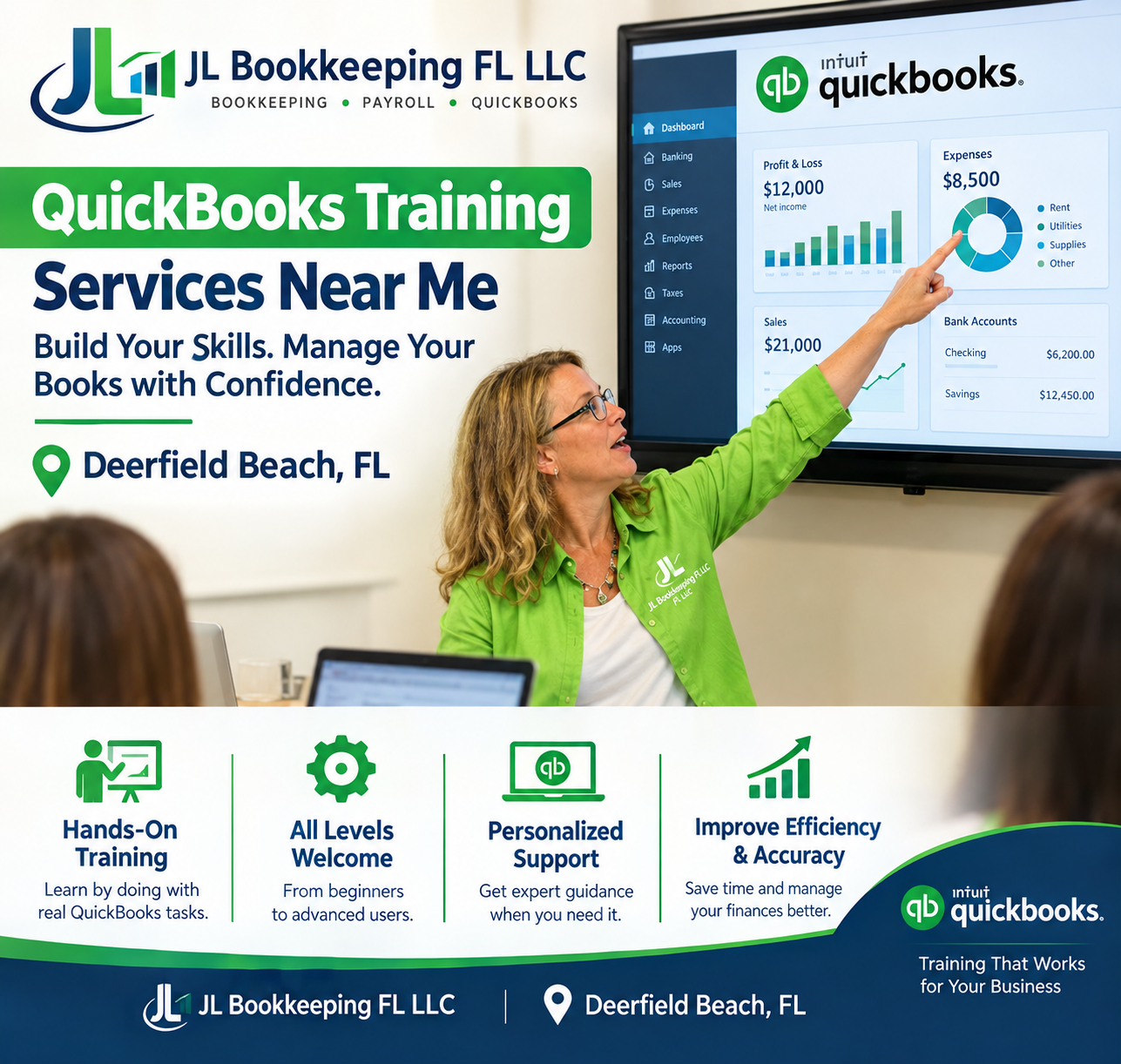
QuickBooks Training Services Near Me help small businesses learn how to set up, use, and manage QuickBooks correctly. Training can improve bookkeeping skills, help owners understand financial reports, organize income and expenses, and use tools such as bank feeds, invoicing, reconciliation, and reporting more effectively.
For a small business owner, accounting software is only useful when the business knows how to use it correctly.
QuickBooks can help organize financial information, but the software does not automatically guarantee that every transaction is entered into the correct account or that every report is accurate. Business owners and employees still need to understand basic bookkeeping principles and how the software works.
This is where QuickBooks training services near me can be useful.
Training gives business owners a chance to learn the software using examples that relate to their own business. Instead of trying to understand every feature at once, a business owner can learn the tasks that matter most, such as creating invoices, recording expenses, connecting bank accounts, reconciling accounts, reading reports, and managing customers.
For small businesses in Deerfield Beach, FL, local or personalized training can also make learning easier because the training can focus on the business’s actual workflow.
QuickBooks itself provides tools for invoicing, expense tracking, bank feeds, receipt organization, reporting, inventory, and other accounting tasks. Its current learning materials also cover company setup, chart of accounts, bank connections, users, invoices, and reports.
The IRS also emphasizes the importance of keeping records that clearly show business income and expenses. Electronic accounting software can be used for this purpose, provided the records are complete and accurate.
Therefore, QuickBooks training is not simply about learning where to click.
It is about learning how to use accounting software as part of a consistent bookkeeping process.
Why do small businesses need QuickBooks training?
Small businesses need QuickBooks training because accounting software can become confusing when users do not understand the basic bookkeeping process behind the software.
A new user may know how to create an invoice but may not understand how that invoice affects accounts receivable or income.
Another business owner may connect a bank account but incorrectly categorize transactions.
Someone else may run a profit and loss report without realizing that incorrect account categories can make the report misleading.
Training can help users understand both the software and the bookkeeping concepts behind it.
What can small businesses learn through QuickBooks training?
Depending on the training program, business owners may learn how to:
- Set up a QuickBooks company file
- Customize company settings
- Build or review a chart of accounts
- Connect bank and credit card accounts
- Categorize transactions
- Create invoices
- Record customer payments
- Track business expenses
- Attach receipts
- Reconcile bank accounts
- Review accounts receivable
- Review accounts payable
- Run financial reports
- Customize reports
- Manage users
- Set permissions
- Track business activity
- Correct common bookkeeping mistakes
- Prepare organized records for tax professionals
The exact topics should depend on the business.
A freelancer may not need the same training as a construction company, retailer, professional service firm, or business with employees.
What are the main benefits of QuickBooks training services near me?
The main benefits of QuickBooks training services near me include better software knowledge, improved bookkeeping habits, more organized financial records, and greater confidence when reviewing business finances.
Training can provide several practical benefits.
1. Better understanding of bookkeeping
Business owners learn what different transactions mean instead of simply entering numbers.
2. More consistent data entry
Training can establish a repeatable process for recording income and expenses.
3. Better use of QuickBooks features
Many businesses use only basic features even though their QuickBooks subscription may provide additional tools.
4. Easier financial review
Owners can learn how to read common reports and identify important financial information.
5. Improved communication with accountants
A business owner who understands QuickBooks can communicate more clearly with a bookkeeper, CPA, or tax professional.
6. Better day-to-day organization
Receipts, invoices, payments, expenses, and bank transactions can be managed through a consistent workflow.
7. Greater confidence
Learning how the system works can reduce the need to guess when completing bookkeeping tasks.
How can QuickBooks training help business owners save time?
QuickBooks training can help save time by teaching business owners how to use automation and repeatable workflows correctly.
QuickBooks includes tools such as bank feeds that can automatically download transactions for review. However, downloaded transactions still need to be reviewed, categorized, matched, or otherwise handled correctly.
Training can show owners how to use these tools efficiently.
For example, a business owner who manually enters every bank transaction may spend more time on bookkeeping than someone who understands how bank feeds and transaction rules can assist with the process.
QuickBooks states that businesses connecting bank accounts can use bank feeds to automatically bring transactions into QuickBooks for review. Intuit also reports an average time saving for connected-bank users, based on its own survey data and stated methodology.
The important point is that automation works best when the user understands what the software is doing.
What QuickBooks tasks can be streamlined?
Training may help business owners create more efficient workflows for:
- Bank transaction review
- Invoice creation
- Recurring invoices
- Expense categorization
- Receipt management
- Customer payments
- Account reconciliation
- Financial reporting
- User permissions
- Recurring transactions
A trained user can also learn which tasks should remain manual.
Automation should support bookkeeping accuracy, not replace review.
How does QuickBooks training improve bookkeeping accuracy?
QuickBooks training can improve bookkeeping accuracy by teaching users how to categorize, record, reconcile, and review transactions correctly.
Accuracy is important because accounting reports depend on the information entered into the system.
For example, if a business expense is placed into the wrong account, the total expenses may still appear in QuickBooks, but the category and related reports may be incorrect.
Similarly, if a transaction is duplicated during bank-feed processing, the business may report more income or expenses than it actually had.
Training can help users understand these common problems.
What bookkeeping mistakes can training help prevent?
Training may reduce the risk of mistakes such as:
- Duplicate transactions
- Incorrect expense categories
- Unreconciled bank accounts
- Incorrect customer payments
- Missing invoices
- Incorrect opening balances
- Improper use of journal entries
- Mixing personal and business transactions
- Incorrect chart-of-account structures
- Incorrect report filters
- Poor documentation of transactions
Training does not guarantee error-free bookkeeping.
It gives users the knowledge to follow a more consistent process and identify problems earlier.
Why is the chart of accounts important in QuickBooks?
The chart of accounts is important because it organizes financial transactions into categories used by the accounting system and financial reports.
QuickBooks explains that the chart of accounts is used to categorize transactions and connect those categories to reports and tax-related information.
A basic chart of accounts may include categories such as:
- Income
- Cost of goods sold
- Operating expenses
- Assets
- Liabilities
- Equity
The exact structure depends on the business.
How can training help with the chart of accounts?
Training can help business owners understand:
- Why accounts exist
- When to create a new account
- When to use an existing account
- How to avoid unnecessary duplicate accounts
- How accounts affect financial reports
- How to organize income and expenses
- When professional accounting advice may be appropriate
A clean chart of accounts makes reports easier to understand.
An overly complicated chart can make bookkeeping harder.
How can QuickBooks training help small businesses understand financial reports?
QuickBooks training can help business owners understand what their financial reports show and how those reports can be used to review business activity.
Common reports include:
- Profit and Loss
- Balance Sheet
- Accounts Receivable Aging
- Accounts Payable Aging
- Sales reports
- Expense reports
- Cash flow information
- General Ledger
- Trial Balance
Each report answers different questions.
What does a Profit and Loss report show?
A Profit and Loss report summarizes income and expenses for a selected period.
It can help an owner see whether recorded revenue exceeds recorded expenses during that period.
What does a Balance Sheet show?
A Balance Sheet reports assets, liabilities, and equity at a specific point in time.
Why should business owners learn to read these reports?
Reports can help owners understand:
- Where revenue comes from
- Where money is being spent
- Outstanding customer balances
- Business obligations
- Changes in financial position
- Trends over time
The IRS states that good business records can help owners monitor business progress, prepare financial statements, identify income sources, track expenses, and support tax returns.
That makes financial-report training useful beyond simply learning the QuickBooks interface.
How can QuickBooks training help with bank reconciliation?
QuickBooks training can help business owners understand how to compare QuickBooks records with bank and credit card statements.
Bank reconciliation is an important bookkeeping process.
The goal is to identify differences between the accounting records and the financial institution’s records.
Differences can happen because of:
- Outstanding checks
- Pending transactions
- Bank fees
- Deposits in transit
- Duplicate entries
- Missing transactions
- Incorrect transaction amounts
- Data-entry mistakes
Why should small businesses reconcile accounts regularly?
Regular reconciliation can help identify problems earlier.
A business owner who never reconciles accounts may not know whether the QuickBooks balance accurately reflects the actual bank activity.
Training can teach owners:
- How to begin a reconciliation.
- How to compare transactions.
- How to identify missing entries.
- How to investigate differences.
- How to avoid forcing a reconciliation to match.
- How to document unusual items.
- When to ask a bookkeeping or accounting professional for help.
QuickBooks learning materials specifically include bank reconciliation, matching, categorization, and transaction review as core bookkeeping skills.
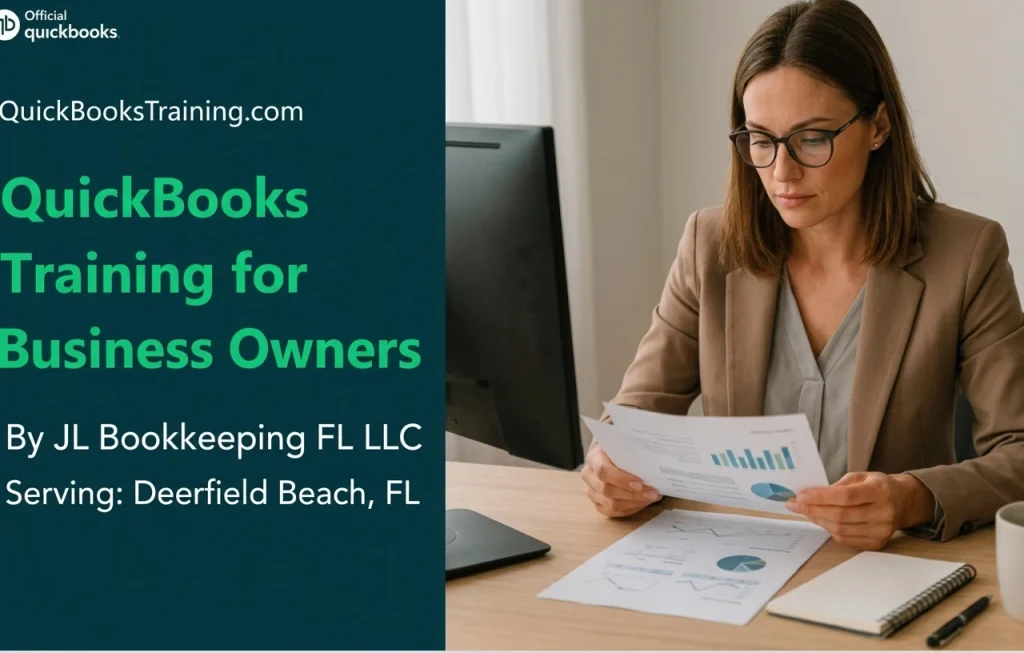
What is QuickBooks Training for Business Owners?
QuickBooks Training for Business Owners is practical instruction designed to help owners understand and manage their company’s QuickBooks account.
Business owners often need a different type of training than professional bookkeepers.
An owner may not need to become an accounting expert.
Instead, the owner may need to know:
- How much money the business made
- What customers owe
- What the business owes
- How much was spent
- Which reports matter
- How to review transactions
- How to approve or categorize bank-feed activity
- How to work with a bookkeeper
- How to prepare information for a tax professional
This type of training focuses on business decision-making and oversight.
What should business owners learn first?
A practical learning sequence can be:
- QuickBooks navigation
- Company setup
- Chart of accounts
- Customers and vendors
- Invoicing
- Expenses
- Bank feeds
- Reconciliation
- Reports
- User access
- Month-end review
- Accountant or bookkeeper collaboration
This sequence starts with basic tasks and gradually moves toward financial review.
How can QuickBooks training help new business owners?
New business owners can benefit from training because bookkeeping systems are easier to build correctly at the beginning than to repair later.
A new business can learn to:
- Separate business and personal transactions
- Set up appropriate accounts
- Establish an invoice process
- Track expenses
- Keep supporting documents
- Reconcile accounts
- Review reports
- Create a consistent monthly bookkeeping routine
The IRS advises businesses to keep records that clearly show income and expenses and notes that business and personal accounts should generally be kept separate.
Learning these habits early can help reduce confusion later.
What is a QuickBooks training company near me?
A QuickBooks training company near me typically provides instruction that helps individuals or businesses learn QuickBooks and apply it to their bookkeeping workflow.
The services offered can vary.
Some providers may focus on:
- Basic QuickBooks training
- QuickBooks Online
- QuickBooks Desktop
- Business-owner training
- Bookkeeper training
- Setup
- Cleanup
- Consulting
- Advanced reporting
- Payroll workflows
- Inventory
- Customized instruction
Before choosing a provider, a business owner should ask exactly what the training includes.
What should you ask a QuickBooks training company?
Consider asking:
- Which QuickBooks version do you teach?
- Is the training one-on-one or group-based?
- Can the training use my business example?
- Do you cover setup?
- Do you teach bank reconciliation?
- Do you teach reports?
- Do you provide advanced training?
- Can you review my current workflow?
- Do you provide follow-up support?
- Is the training designed for owners, employees, or bookkeepers?
The right answers depend on the learner’s goals.
What is QuickBooks setup installation near me?
QuickBooks setup installation near me generally refers to local help with getting QuickBooks ready for business use, including company settings, accounts, users, and initial configuration.
For QuickBooks Online, the setup process can include:
- Creating company information
- Reviewing company settings
- Creating a chart of accounts
- Connecting bank accounts
- Connecting credit cards
- Setting up customers
- Setting up vendors
- Creating products or services
- Configuring invoices
- Setting up users
- Reviewing reporting preferences
QuickBooks’ current setup guidance covers many of these areas.
Why is proper setup important?
The initial setup affects how information is organized later.
If the chart of accounts is poorly structured, reports may be harder to understand.
If users have inappropriate access, financial information may not be controlled properly.
If opening balances are wrong, future reports can be affected.
If bank accounts are connected incorrectly, transaction workflows may become confusing.
Training combined with setup can therefore help a business start with a clearer process.
How can QuickBooks setup and training work together?
QuickBooks setup and training work well together because the owner learns how the system was configured instead of receiving a setup without understanding it.
For example, a training session can explain:
- Why certain accounts were created
- How bank feeds work
- How invoices affect records
- How customer payments are recorded
- How expenses should be categorized
- How reports use the chart of accounts
- How reconciliation works
- How users are assigned permissions
This creates a stronger connection between the software and the business’s daily bookkeeping process.
What are QuickBooks training classes near me?
QuickBooks training classes near me can be group-based or individualized lessons designed to teach users how to work with QuickBooks.
Classes can be useful for people who prefer a structured learning environment.
Possible topics include:
- QuickBooks basics
- Company setup
- Income and expenses
- Invoicing
- Bank feeds
- Reconciliation
- Reports
- Payroll workflows
- Inventory
- Advanced reporting
However, a class may not always answer questions specific to one business.
That is why small-business owners should compare general classes with personalized instruction.
Are group classes better than one-on-one training?
Neither format is automatically better.
Group classes may provide:
- Structured lessons
- Interaction with other learners
- Broad software coverage
- A scheduled learning format
One-on-one training may provide:
- Business-specific examples
- More focused instruction
- Customized pacing
- Direct answers to specific questions
- Training based on the company’s actual workflow
The best format depends on how the learner prefers to learn and how customized the training needs to be.
What is Small Business QuickBooks Training Near Me?
Small Business QuickBooks Training Near Me is training designed around the accounting and bookkeeping needs of smaller companies.
Small businesses often need practical skills rather than complex accounting theory.
Training can focus on:
- Recording sales
- Tracking expenses
- Managing invoices
- Monitoring customer balances
- Reconciling accounts
- Reviewing financial reports
- Organizing receipts
- Preparing records for tax professionals
The training should also account for the business model.
A service business may need different QuickBooks workflows from a retail company.
A business with inventory may need more advanced inventory training.
A business with employees may need additional payroll-related workflows.
How can QuickBooks training help businesses organize expenses?
QuickBooks training can teach business owners how to consistently record and categorize business expenses.
Examples include:
- Office supplies
- Software
- Advertising
- Rent
- Utilities
- Professional services
- Travel
- Insurance
- Equipment
- Vehicle-related expenses
The correct treatment depends on the specific transaction and accounting rules.
Training should therefore teach users to understand categories rather than simply memorize them.
Why does expense organization matter?
Expense records can affect:
- Profit and loss reports
- Financial analysis
- Budgeting
- Cash-flow review
- Tax preparation
The IRS states that business records should clearly show income and expenses and support amounts reported on tax returns.
Good organization can make it easier for business owners and their tax professionals to review financial information.
How can QuickBooks training improve invoicing?
QuickBooks training can help businesses create a more consistent invoicing process.
A typical invoice workflow may include:
- Create the customer.
- Add products or services.
- Create the invoice.
- Confirm the amount and terms.
- Send the invoice.
- Record or match payment.
- Review outstanding balances.
- Follow up on unpaid invoices.
QuickBooks provides invoicing tools that can create invoices, send payment reminders, and match payments to invoices.
Training can help owners understand how those features fit together.
How can QuickBooks training help manage accounts receivable?
Training can help business owners understand which customers have unpaid invoices and how those balances appear in QuickBooks.
Accounts receivable information can help answer questions such as:
- Which customers owe money?
- How much is outstanding?
- How old are the balances?
- Which invoices are overdue?
- Which payments have been recorded?
- Are customer balances accurate?
Business owners can then use the information to improve their collection process.
However, the business should make sure that invoices and payments are entered correctly before relying on the report.
How can QuickBooks training help with cash-flow management?
QuickBooks training can help owners understand how recorded income, expenses, invoices, bills, and bank transactions affect their financial picture.
Cash flow is not the same as profit.
A business can show accounting profit while still experiencing cash-flow pressure.
For example:
- Customers may not have paid invoices yet.
- Large bills may be due.
- Equipment may require a major payment.
- Inventory may consume cash.
- Loan payments may affect cash.
Training can help owners understand the reports and transactions used to monitor these issues.
QuickBooks also offers cash-flow-related tools, although availability and functionality depend on the product plan and current software features.
How does QuickBooks advanced training help growing businesses?
QuickBooks advanced training can help businesses that have moved beyond basic income and expense tracking.
Advanced training may cover:
- Advanced reporting
- Custom reports
- User permissions
- Classes
- Locations
- Inventory
- Custom fields
- Recurring transactions
- Workflow automation
- Advanced reconciliation
- Audit-log review
- Accountant collaboration
The exact features depend on the QuickBooks product and subscription.
QuickBooks’ current training resources include advanced product learning covering areas such as QuickBooks Online Advanced, custom reporting, user permissions, and other professional workflows.
When should a business consider advanced training?
Advanced training may make sense when:
- The company is growing
- More employees need access
- Multiple departments need tracking
- Reports are becoming more complex
- Inventory is involved
- The owner wants more detailed reporting
- The business uses automation
- The company needs customized workflows
Advanced training should come after the basic bookkeeping process is understood.
What is QuickBooks consulting and training?
QuickBooks consulting and training combines instruction with practical guidance about how the software should be used within a business’s workflow.
Training answers:
“How do I use this feature?”
Consulting may ask:
“Should my business use this feature, and how should it fit into our process?”
That distinction can be valuable.
For example, a business owner may know how to create a custom account but not know whether creating that account will make the financial reports easier or more complicated.
A consultant can review the workflow and explain the possible options.
What can QuickBooks consulting cover?
Depending on the provider, consulting may include:
- Company setup
- Chart of accounts
- Workflow review
- Bank-feed setup
- Reporting
- User permissions
- Cleanup
- Data organization
- Software migration
- Integration planning
- Training
Consulting should not be confused with legal or tax advice unless the provider is qualified to provide those services.
How can local QuickBooks training help Deerfield Beach businesses?
Local QuickBooks training services in Deerfield Beach, FL can provide a convenient way for small-business owners to learn QuickBooks around their own business needs.
A local business may have questions about:
- Service-business bookkeeping
- Retail transactions
- Contractor expenses
- Professional-service billing
- Customer payments
- Local operating costs
- Employee-related workflows
- Financial reports
The training itself should remain focused on QuickBooks and sound bookkeeping practices rather than assuming that every Deerfield Beach business uses the same accounting system.
Why can personalized local training be useful?
Personalized training can make it easier to:
- Ask specific questions
- Use real business examples
- Learn at an appropriate pace
- Review existing workflows
- Identify confusing processes
- Build repeatable bookkeeping habits
For a small business owner, this can be more practical than trying to learn every QuickBooks feature independently.
How can QuickBooks training help employees?
QuickBooks training can help employees perform bookkeeping tasks more consistently when their responsibilities involve accounting software.
Employees may need training on:
- Invoice creation
- Expense entry
- Vendor management
- Customer payments
- Bank-feed review
- Receipt documentation
- Report generation
- Time tracking
- User permissions
Training should match each employee’s responsibilities.
An employee who only creates invoices does not necessarily need the same access or training as someone who reconciles bank accounts.
How can QuickBooks training improve user permissions?
QuickBooks training can teach businesses why different users may need different levels of access.
For example, one employee may need to:
- Create invoices
Another may need to:
- Record expenses
A bookkeeper may need:
- Broader accounting access
An owner may need:
- Reporting and oversight access
QuickBooks provides user and permission tools, although the exact options depend on the product and subscription.
Training can help businesses understand how access should be organized.
The principle is simple:
Give users the access they need to perform their jobs, without giving every user unnecessary financial access.
How can QuickBooks training help businesses prepare for tax time?
QuickBooks training can help businesses maintain more organized records throughout the year.
Training can cover:
- Income recording
- Expense categorization
- Receipt organization
- Bank reconciliation
- Report review
- Customer balances
- Vendor balances
- Supporting documentation
The IRS states that businesses should maintain records that clearly show income and expenses and that electronic records are subject to the same basic recordkeeping requirements as paper records.
Good bookkeeping does not replace tax advice.
Instead, organized bookkeeping can give a tax professional better information to work with.
Does QuickBooks training replace a bookkeeper or accountant?
No. QuickBooks training does not automatically replace a bookkeeper, accountant, or tax professional.
Training teaches a person how to use the software.
A bookkeeper may handle ongoing transaction recording, reconciliations, and financial organization.
An accountant or CPA may provide broader accounting services, financial analysis, tax services, or other professional services depending on their qualifications.
A business may use one, two, or all three types of support.
When might a business want both training and bookkeeping help?
A business may benefit from both when:
- The owner wants to understand the books
- A bookkeeper handles daily transactions
- The owner reviews reports monthly
- A CPA handles tax matters
- Employees need basic QuickBooks knowledge
Training can help the owner understand what the bookkeeper is doing.
That can make financial conversations easier.
How should a business choose QuickBooks training services near me?
When comparing QuickBooks training services near me, businesses should evaluate the trainer’s experience, training format, software knowledge, topics covered, and ability to adapt instruction to the business.
Consider these factors:
QuickBooks experience
Ask what versions and features the trainer teaches.
Business experience
A trainer who understands small-business workflows may provide more practical examples.
Training format
Consider:
- In-person
- Online
- One-on-one
- Group
- Self-paced
- Hybrid
Training topics
Make sure the program covers the features the business actually needs.
Customization
Ask whether the training can use the company’s workflow.
Follow-up
Find out whether additional support is available after the training.
What should you bring to a QuickBooks training session?
A business owner can make training more useful by preparing specific questions and examples.
Consider bringing:
- A list of bookkeeping problems
- Current QuickBooks questions
- Sample invoices
- Expense examples
- Bank-reconciliation questions
- Reports that are confusing
- Chart-of-account questions
- Questions about customers or vendors
- A list of features you want to learn
Sensitive financial information should be handled carefully.
When possible, training examples can use test data or properly secured business information.
How long does QuickBooks training take?
The amount of training needed depends on the learner’s experience, business complexity, QuickBooks version, and goals.
A basic user may need instruction on:
- Navigation
- Customers
- Invoices
- Expenses
- Bank feeds
- Reports
A more advanced user may need additional instruction on:
- Inventory
- Classes
- Locations
- Advanced reporting
- Automation
- Permissions
- Custom workflows
Training does not need to cover every QuickBooks feature.
A focused training program can be more useful when it teaches the features the business actually uses.
Can beginners use QuickBooks after training?
Yes. Beginners can learn QuickBooks when training starts with basic concepts and builds gradually.
A beginner-friendly learning path can be:
Level 1: Understand the basics
Learn:
- Income
- Expenses
- Customers
- Vendors
- Assets
- Liabilities
Level 2: Learn QuickBooks
Practice:
- Creating invoices
- Recording expenses
- Connecting accounts
- Reviewing transactions
Level 3: Learn reconciliation
Understand:
- Bank statements
- Transaction matching
- Differences
- Reconciliation
Level 4: Learn reporting
Practice:
- Profit and Loss
- Balance Sheet
- Receivable reports
- Expense reports
Level 5: Learn business review
Use the reports to understand the financial condition of the business.
This step-by-step method can make QuickBooks less intimidating for beginners.
What is the difference between QuickBooks training and QuickBooks cleanup?
QuickBooks training teaches the user how to use the system.
QuickBooks cleanup focuses on correcting or organizing an existing QuickBooks file.
Cleanup may involve:
- Duplicate transactions
- Uncategorized transactions
- Unreconciled accounts
- Incorrect account classifications
- Old balances
- Duplicate customers
- Duplicate vendors
- Incorrect opening balances
A business may need both.
For example, cleanup can correct historical problems, while training can teach the owner how to avoid creating the same problems again.
How can training help businesses after a QuickBooks cleanup?
Training after cleanup can be especially useful because the business starts with a more organized file.
A training session can explain:
- What was changed
- How the chart of accounts works
- How transactions should be categorized
- How to reconcile accounts
- How reports should be reviewed
- How to avoid common mistakes
This creates a learning opportunity from the actual business file.
How can QuickBooks training help businesses use reports for decisions?
QuickBooks reports can provide information that supports business decisions, but owners must understand what the reports actually measure.
For example, a Profit and Loss report can help an owner review recorded revenue and expenses.
An accounts receivable report can show outstanding customer balances.
A Balance Sheet can show recorded assets, liabilities, and equity.
Training can help owners connect these reports to practical questions:
- Are sales increasing?
- Are expenses rising?
- Which customers have unpaid invoices?
- Are operating costs changing?
- What does the business currently owe?
- Are financial records complete?
Reports are only as useful as the information behind them.
That is why training in transaction entry and reconciliation is important.
What original training framework can small businesses use?
A practical small-business QuickBooks training framework can be divided into six areas.
| Training Area | What the Business Learns | Practical Benefit |
| Setup | Company settings and chart of accounts | Creates an organized foundation |
| Transactions | Income, expenses, invoices, payments | Builds consistent daily records |
| Banking | Bank feeds and reconciliation | Helps compare records with bank activity |
| Reporting | P&L, Balance Sheet, aging reports | Improves financial understanding |
| Controls | Users and permissions | Supports appropriate access |
| Review | Monthly bookkeeping checks | Helps identify issues earlier |
This framework is an original educational structure, not a QuickBooks certification standard.
It can be adapted according to the size and type of business.
How can a monthly QuickBooks routine help small businesses?
A monthly bookkeeping routine can help businesses review their financial records consistently.
A simple monthly process may include:
- Review bank transactions.
- Categorize or match transactions.
- Review credit card transactions.
- Reconcile accounts.
- Review unpaid invoices.
- Review unpaid bills.
- Check for unusual transactions.
- Review the Profit and Loss report.
- Review the Balance Sheet.
- Save or share relevant reports.
- Discuss questions with the bookkeeper or accountant.
- Correct known issues.
The exact routine depends on the business.
The key is consistency.
How can QuickBooks training support business growth?
QuickBooks training can support growth by helping owners understand the financial information produced by their accounting system.
Intuit’s July 2026 Small Business Insights survey reported that 64% of surveyed U.S. businesses with 0–100 employees planned to invest in business growth or efficiency gains over the following three months.
As businesses grow, bookkeeping can become more complex.
Growth can bring:
- More customers
- More invoices
- More expenses
- More employees
- More vendors
- More transactions
- More reporting needs
- More users
- More financial decisions
Training can help owners understand how their QuickBooks workflow should evolve as the business becomes more complex.

Can QuickBooks training help reduce bookkeeping confusion?
Yes, training can reduce confusion by giving users a defined process for common bookkeeping tasks.
Instead of asking:
“Where do I put this transaction?”
the user can learn to ask:
“What type of transaction is this, and which account should represent it?”
That is a more useful accounting mindset.
Training can also help explain why two transactions that look similar may need different treatment.
For example, a business purchase may need a different account from an equipment purchase.
The correct accounting treatment depends on the circumstances.
That is why training should teach principles rather than only button-click instructions.
Why should small businesses learn QuickBooks from an experienced trainer?
An experienced trainer can explain both the software and the business process behind it.
QuickBooks has many features.
Without guidance, users may:
- Use unnecessary features
- Create too many accounts
- Categorize transactions inconsistently
- Avoid reconciliation
- Ignore reports
- Give users excessive access
- Rely too heavily on automation
Training can help businesses focus on the tools that actually matter.
Intuit’s own professional training materials cover areas such as chart-of-account setup, transaction categorization, reconciliation, financial statements, custom reports, permissions, and audit trails.
That demonstrates how QuickBooks training can go beyond basic navigation.
How can JL Bookkeeping FL LLC support QuickBooks learning?
JL Bookkeeping FL LLC provides bookkeeping-related services and can be positioned as a resource for businesses seeking practical QuickBooks knowledge and bookkeeping support in Deerfield Beach, FL.
For a small business, training can be especially useful when it is connected to real bookkeeping needs.
A business owner may want to understand:
- How the company file is organized
- How transactions should be recorded
- How bank feeds work
- How accounts are reconciled
- How reports are created
- How to review business activity
- How to communicate with a bookkeeper or tax professional
The exact scope of training should be established before beginning.
A business should also confirm whether it needs training, bookkeeping, consulting, cleanup, setup, or a combination of services.
What should a small business do before starting QuickBooks training?
Before starting training, a small business should identify its current bookkeeping situation and learning goals.
Start with these questions:
- Am I using QuickBooks Online or another version?
- Is the company file already set up?
- Is the chart of accounts organized?
- Are bank accounts connected?
- Are transactions being categorized?
- Are accounts reconciled?
- Are invoices being tracked?
- Are reports accurate enough to review?
- Does anyone else use the account?
- What QuickBooks tasks cause the most confusion?
The answers can help determine what training is actually needed.
How can businesses get more value from QuickBooks training?
Businesses can get more value from training by practicing immediately after each lesson.
A simple learning method is:
Learn → Practice → Review → Repeat
For example:
Learn
Understand how bank reconciliation works.
Practice
Reconcile a suitable account using actual or controlled business data.
Review
Check whether the ending balance agrees with the statement.
Repeat
Use the process consistently each month.
This method can help turn training into a repeatable bookkeeping habit.
Is QuickBooks training worth it for small businesses?
QuickBooks training can be worthwhile when the business owner or employee needs to use the software regularly and wants to improve bookkeeping knowledge.
The value depends on:
- Current skill level
- Business complexity
- Training quality
- Training cost
- Frequency of QuickBooks use
- Number of employees involved
- Current bookkeeping problems
- Need for customized support
A business that already has an experienced bookkeeper may need only limited owner training.
A new business owner managing the books independently may need more comprehensive instruction.
The important question is not simply whether training is “worth it.”
It is whether the training addresses a real bookkeeping need.
What should you look for in QuickBooks training services near me?
When searching for QuickBooks training services near me, look for training that matches the business’s actual needs rather than a generic list of software features.
Consider:
- QuickBooks version expertise
- Small-business experience
- Bookkeeping knowledge
- Personalized instruction
- Practical examples
- Setup support
- Bank reconciliation training
- Reporting instruction
- Advanced training options
- Follow-up support
- Clear pricing
- Defined training objectives
A strong training program should leave the learner with practical skills that can be used after the session.
Frequently Asked Questions
What are QuickBooks training services near me?
QuickBooks training services near me are local or accessible training programs that teach individuals and businesses how to use QuickBooks for tasks such as setup, invoicing, expense tracking, bank feeds, reconciliation, and financial reporting.
Can QuickBooks training help small-business owners?
Yes. QuickBooks training can help owners understand their bookkeeping workflow, review financial reports, organize transactions, manage invoices, reconcile accounts, and communicate more effectively with bookkeeping or accounting professionals.
What is the difference between QuickBooks training and QuickBooks consulting?
QuickBooks training focuses on teaching users how to use the software. QuickBooks consulting can go further by reviewing business workflows, setup, reporting, organization, and how QuickBooks features should fit the business.
Do I need QuickBooks training if I already have a bookkeeper?
Not necessarily, but owner training can still be useful. It can help the business owner understand reports, review financial activity, communicate with the bookkeeper, and understand how the QuickBooks file is organized.
Conclusion
QuickBooks Training Services Near Me can help small businesses turn accounting software into a more useful part of their daily financial workflow. Training can cover everything from basic setup and invoicing to bank feeds, reconciliation, reporting, user permissions, and advanced QuickBooks features.
For business owners in Deerfield Beach, FL, the right training should be practical, easy to understand, and connected to the company’s real bookkeeping needs. QuickBooks training for business owners can help owners understand their financial records without requiring them to become professional accountants.
Businesses can choose between QuickBooks training classes near me, personalized instruction, QuickBooks consulting and training, or more advanced programs depending on their needs.
For businesses that are just starting, QuickBooks setup installation near me can help establish the software correctly before training begins. For growing businesses, QuickBooks advanced training can provide deeper knowledge of reporting, permissions, workflows, and other features.
JL Bookkeeping FL LLC can help businesses in Deerfield Beach, FL, explore QuickBooks training and bookkeeping support based on their specific needs. If your business wants to use QuickBooks with greater confidence and consistency, consider starting with a review of your current workflow and identifying the areas where additional training would provide the most practical benefit.